








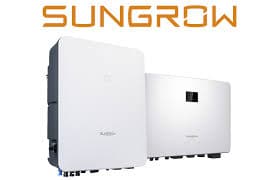
SUNGROW Inverter
Reads power and energy data from Sungrow solar inverters via Modbus TCP.
This template reads production data from Sungrow solar inverters via Modbus TCP. It provides total power yields, total DC power, total active power, and power factor. Compatible with a wide range of Sungrow KTL, KU, and HV series inverters.
- Protocol
- Modbus TCP
- Connection
- Ethernet, Modbus TCP
- Registers
- 4, read only
- Brand
- Sungrow
- Key readings
- Total power yields (kWh) · Total DC power (kW) · Total active power (kW) · Power factor
- Compatible models
- SG33KTL-M · SG40KTL-M · SG49K5J · SG50KTL-M · SG60KU · SG60KU-M · SG60KTL · SG60KTL-M · SG36KTL-M · SG8KTL-M · SG10KTL-M · SG12KTL-M · SG80KTL · SG80KTL-M · SG80HV · SG125HV
- Last updated
Registers (4)
4 read, 0 write
| Name | Unit | Access | Address (Hidden until you enter your email) | Function (hidden) | Type (hidden) |
|---|---|---|---|---|---|
| Total power yields | kWh | Read | |||
| Total DC power | kW | Read | |||
| Total active power | kW | Read | |||
| Power factor | Read |
Loading registers…
Send your device list
If a device is not in the library yet, we build the template for free as soon as we have the register data.
Use cases
- Monitor total PV energy yield on a live dashboard to verify system performance over time.
- Track total DC power and total active power to detect string imbalances or inverter clipping.
- Create an alert when power factor deviates from acceptable limits, flagging potential grid compliance issues.
- Generate monthly energy production reports for end customers or asset owners.
- Compare active power output across multiple Sungrow inverters on the same site.
Installation
Connect the ModbusCloud Gateway to the same local network as the Sungrow inverter via Ethernet.
Ensure Modbus TCP is enabled on the Sungrow inverter, typically configured through the inverter display or the iSolarCloud app.
Note the inverter IP address and Modbus unit ID (default is usually 1) from the inverter network settings.
Log in to the ModbusCloud platform, add a new device, and import the Sungrow Inverter template from the template library.
Enter the inverter IP address and unit ID in the device configuration, then verify that register values appear on the dashboard.
Things to watch for
Which TCP port does the Sungrow inverter use for Modbus?
Sungrow inverters typically listen on TCP port 502 for Modbus communication. Confirm this in the inverter network settings if the gateway cannot establish a connection.
Why do I see zero values for total DC power during the day?
Check that the Modbus unit ID matches the inverter configuration. If the unit ID is wrong, the inverter may not respond or may return default zero values.
Do I need a specific firmware version on the inverter?
Sungrow has enabled Modbus TCP on most firmware revisions for the supported models. If registers are not responding, update the inverter firmware to the latest version available from Sungrow.
How are uint32 values read across two registers?
The template reads two consecutive 16-bit registers and combines them into a single 32-bit value. The ModbusCloud platform handles this automatically, so no manual byte order configuration is needed.


Want to see how it works?
