









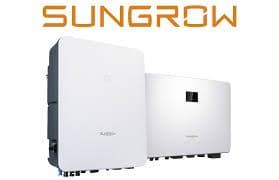
Sungrow SG Series Inverter (grid)
The Sungrow SG Series Inverter is a PV grid-connected string inverter used in residential and commercial solar installations. This ModbusCloud template targets the SG Series grid variant and reads two core registers over Modbus RTU via RS485: instantaneous active power output (address 5082) and cumulative energy generation (address 5098). Both are 32-bit values polled using function code 4. With these two registers live in your portal, you can track real-time generation and long-run yield from any SG Series unit without manual data retrieval.
- Protocol
- Modbus RTU
- Connection
- RS485
- Registers
- 2, read only
- Brand
- Sungrow
- Last updated
Registers (2)
2 read, 0 write
| Name | Unit | Access | Address (Hidden until you enter your email) | Function (hidden) | Type (hidden) |
|---|---|---|---|---|---|
| power | W | Read | |||
| energy | Wh | Read |
Loading registers…
Send your device list
If a device is not in the library yet, we build the template for free as soon as we have the register data.
Use cases
- Monitor instantaneous active power output to verify the Sungrow SG Series inverter is producing at expected levels during daylight hours.
- Track cumulative energy generation over weeks and months to identify early signs of underperformance or soiling on PV strings.
- Alert on sudden drops in active power during peak irradiance to detect partial shading, string faults, or grid disconnections.
- Compare daily energy totals across multiple SG Series sites in the ModbusCloud multi-site overview to benchmark portfolio performance.
- Report historical generation data to building owners or grid operators using automated exports from the ModbusCloud portal.
Installation
Enable Modbus RTU on the Sungrow SG Series inverter by navigating to the communication or Modbus settings on the inverter display, and confirm the default baud rate of 9600 bps, 8 data bits, 1 stop bit, no parity.
Connect the inverter RS485-A and RS485-B terminals to the corresponding A and B terminals on the ModbusCloud Gateway using a shielded twisted-pair cable, keeping total bus length within RS485 limits.
In the ModbusCloud portal, add a new gateway, import the Sungrow SG Series Inverter (grid) template, and assign the correct Modbus unit ID matching the address configured on the inverter (default 1, range 1 to 247).
Trigger a manual poll in the portal and spot-check the power register (address 5082) against the inverter display reading to confirm communication and correct unit ID assignment.
Things to watch for
The gateway connects but both registers return zero or no data.
Confirm the Modbus address on the inverter display matches the unit ID set in the portal. The default Sungrow SG Series address is 1. Also verify the inverter is in grid-connected running state: registers return meaningful values only when the inverter is actively producing power or has logged generation history.
The power register at 5082 shows a negative or unexpected value.
Address 5082 is typed as int32 in this template. Some Sungrow SG firmware revisions return the active power as a signed value where negative indicates import or standby. Cross-check with the inverter display. Also note that the Sungrow protocol uses little-endian word order for 32-bit registers, so ensure your gateway or polling tool applies the correct byte-swap order.
RS485 wiring is connected but I get CRC errors or timeouts on every poll.
Check that only one master is polling the bus at a time. Verify A/B polarity is not reversed at either end. Sungrow RS485 runs at 9600 bps by default; if the baud rate on the inverter has been changed, update the ModbusCloud Gateway serial settings to match. Add a 120-ohm termination resistor at each end of long cable runs.
The energy register at 5098 rolls back to zero unexpectedly after a firmware update.
Sungrow SG Series firmware updates can occasionally reset non-volatile energy counters. If you observe a rollback, note the reading before and after the update and apply a manual offset in the portal dashboard to preserve historical totals. Contact Sungrow support if the reset is not documented in the firmware release notes.

Want to see how it works?
