









Sungrow SG Series Inverter (pv)
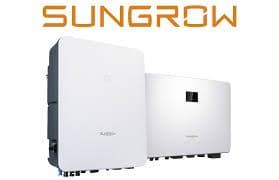
The Sungrow SG Series Inverter is a grid-connected PV string inverter designed for residential and small commercial solar installations. This Modbus TCP template reads two core registers: instantaneous AC output power (address 5030) and the daily energy yield (address 5003). With these two readings in your ModbusCloud portal you can track live generation output and log daily production totals, giving installers and site owners a clear, timestamped record of inverter performance without manual data collection.
- Protocol
- Modbus TCP
- Connection
- Ethernet, Modbus TCP
- Registers
- 2, read only
- Brand
- Sungrow
- Last updated
Registers (2)
2 read, 0 write
| Name | Unit | Access | Address (Hidden until you enter your email) | Function (hidden) | Type (hidden) |
|---|---|---|---|---|---|
| power | W | Read | |||
| energy | Wh | Read |
Loading registers…
Send your device list
If a device is not in the library yet, we build the template for free as soon as we have the register data.
Use cases
- Monitor real-time AC output power to confirm the Sungrow SG inverter is generating at expected levels during peak sun hours.
- Track daily energy yield over consecutive days to detect early signs of soiling, shading, or inverter degradation.
- Alert on zero power output during daylight hours to catch faults or unexpected inverter shutdowns before the site owner notices.
- Compare daily energy totals across multiple Sungrow SG inverters on a multi-string site to spot underperforming strings.
- Verify post-maintenance energy recovery by comparing daily yield before and after a cleaning or service visit.
Installation
Enable Modbus TCP on the Sungrow SG inverter by connecting the WiNet-S Ethernet dongle (or LAN dongle) to your site network; Modbus TCP listens on port 502 with slave ID 1 by default.
Connect the Sungrow inverter's LAN port to the same network segment as the ModbusCloud Gateway, ensuring no firewall rules block port 502 between them.
In the ModbusCloud portal, add a new device using the ModbusCloud Gateway, import the Sungrow SG Series Inverter (pv) template, and set the unit ID to 1 (or the value configured on the inverter) along with the inverter's IP address.
Spot-check the connection by confirming that register 5030 returns a plausible watt value during daylight; a reading of 0 at night is expected and normal.
Things to watch for
Why do I get zero or no response on register 5030 at night?
The Sungrow SG inverter powers down its communication interface when PV voltage is insufficient, typically at dusk and before dawn. A zero or timeout response at night is normal. Schedule your polling interval to accept zero values outside solar hours rather than treating them as errors.
Power values look wrong or inconsistent. What could cause this?
The Sungrow SG series stores U32 values in little-endian word order for double-word registers. If your Modbus client uses big-endian word order by default, the two 16-bit words will be swapped, producing a nonsensical large number. Ensure your client swaps the word order (little-endian) when assembling the 32-bit value from address 5030.
The gateway connects but no register values appear in the portal. What now?
Confirm the WiNet-S or LAN dongle is online and that port 502 is reachable from the ModbusCloud Gateway (use a port scan or ping test). Also verify the unit ID matches the inverter setting, which defaults to 1. Some older firmware versions require the dongle to be power-cycled after a network change before Modbus responds.
Daily energy register 5003 resets unexpectedly. Is that normal?
Yes. Register 5003 holds the daily yield and resets to zero at midnight local inverter time. If your portal shows a drop to zero mid-day, check that the inverter's internal clock is set correctly. A wrong system time on the inverter causes an off-schedule reset.

Want to see how it works?
