









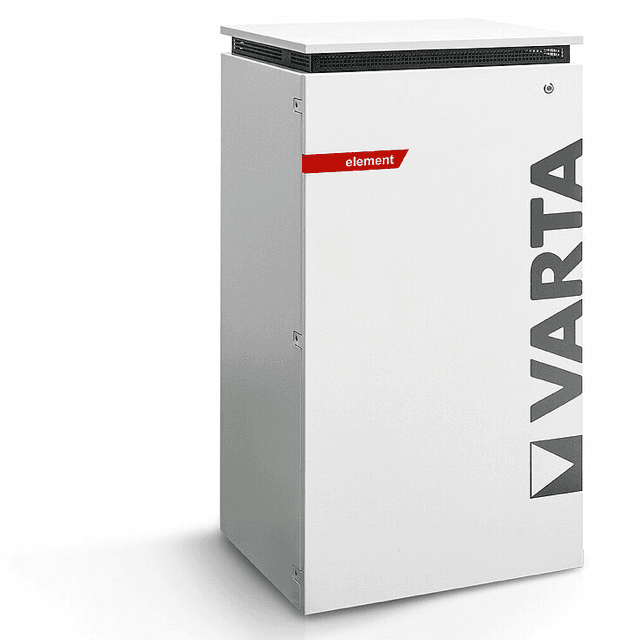
VARTA element backup (battery)
The VARTA element backup is a residential AC-coupled battery storage system covering the pulse, pulse neo, element, and element backup product lines. It connects to your local network via Ethernet and exposes a Modbus TCP server on port 502. This template reads active power flow at register 1066 and total state of charge at register 1068, and writes a discharge power setpoint to register 1074 to control charge and hold modes. Using ModbusCloud Gateway with this template, installers can monitor battery behavior in real time and trigger mode changes from a central portal without on-site access.
- Protocol
- Modbus TCP
- Connection
- Ethernet, Modbus TCP
- Registers
- 3, read and write
- Brand
- VARTA
- Compatible models
- pulse · pulse neo · element · element backup
- Last updated
Registers (3)
2 read, 1 write
| Name | Unit | Access | Address (Hidden until you enter your email) | Function (hidden) | Type (hidden) |
|---|---|---|---|---|---|
| power | W | Read | |||
| soc | % | Read | |||
| batterymode | Write |
Loading registers…
Send your device list
If a device is not in the library yet, we build the template for free as soon as we have the register data.
Use cases
- Monitor real-time AC active power to verify the VARTA element backup is charging during solar surplus periods.
- Track state-of-charge trends over days and weeks to detect gradual capacity loss in the battery.
- Alert on state of charge dropping below a threshold before an expected grid outage or backup event.
- Write a discharge setpoint of zero via register 1074 to hold the battery during low-price grid import windows.
- Compare power readings across multiple VARTA sites in the ModbusCloud portal to benchmark site performance.
Installation
Connect the VARTA element backup to your LAN via its RJ45 Ethernet port, then confirm the unit has a reachable IP address on the same network segment as the ModbusCloud Gateway.
Enable Modbus TCP on the VARTA unit if not already active: consult the device web interface or the VARTA Modbus documentation, and note that the server listens on port 502 with unit ID 255.
In your ModbusCloud portal, add the Gateway, create a new device, import the VARTA element backup template, and enter the device IP, port 502, and unit ID 255.
Verify the connection by checking live readings for the power (register 1066) and soc (register 1068) registers in the portal dashboard and confirming values change as the battery charges or discharges.
Things to watch for
The gateway connects but then drops with a broken pipe error. Why?
The VARTA Modbus TCP server supports only one active TCP connection at a time. If another system such as a home automation platform or inverter is already holding the connection, the Gateway will be refused or dropped. Use a Modbus proxy to fan out a single connection, or ensure no other client polls the device concurrently.
Register 1066 returns unexpected or inverted power values. What is wrong?
Register 1066 is a signed int16. Positive values indicate charging power and negative values indicate discharging power. Some tools interpret the raw register as unsigned, which causes large incorrect readings during discharge. Confirm your client decodes the register as a signed 16-bit integer.
I wrote to register 1074 but the battery mode did not change. What should I check?
The VARTA Modbus server may reject writes if a concurrent read poll is running at the same time. Stop or pause polling before writing, then resume. Also confirm you are writing a valid int16 value using function code 16 to address 1074 with unit ID 255, as described in the template.
Is it safe to write arbitrary values to the batterymode register 1074?
Use caution. Register 1074 sets the maximum discharge power. Writing values outside the range the VARTA firmware expects may cause the system to behave unexpectedly or could conflict with the device's protection logic. Always test with known-safe values such as 0 for hold, and restore normal operation afterward. Consult the VARTA Modbus documentation for supported value ranges before deploying automated writes.
Want to see how it works?
