









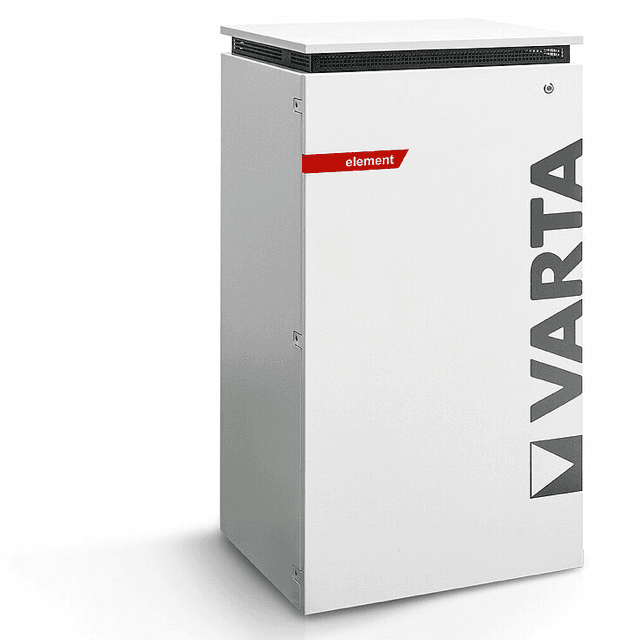
VARTA element (battery)
The VARTA element is an AC-coupled residential battery storage system covering the pulse, pulse neo, element, and element backup variants. Via Modbus TCP the ModbusCloud Gateway reads active power flow and state of charge, and writes to the battery mode register to cap or block discharge. This template gives installers and building owners live visibility of battery behaviour and the ability to remotely control discharge limits from the ModbusCloud portal without additional hardware.
- Protocol
- Modbus TCP
- Connection
- Ethernet, Modbus TCP
- Registers
- 3, read and write
- Brand
- VARTA
- Compatible models
- pulse · pulse neo · element · element backup
- Last updated
Registers (3)
2 read, 1 write
| Name | Unit | Access | Address (Hidden until you enter your email) | Function (hidden) | Type (hidden) |
|---|---|---|---|---|---|
| power | W | Read | |||
| soc | % | Read | |||
| batterymode | Write |
Loading registers…
Send your device list
If a device is not in the library yet, we build the template for free as soon as we have the register data.
Use cases
- Monitor battery state of charge continuously to detect unexpected capacity drop across seasons.
- Track real-time power flow to verify the VARTA element charges during midday solar surplus periods.
- Alert on sustained discharge power above a threshold to catch overnight grid draw events.
- Compare daily charge and discharge cycles over weeks to assess battery utilisation patterns.
- Write a discharge limit via the batterymode register to hold stored energy during high grid-tariff periods.
Installation
Confirm Modbus TCP is active on your VARTA element: open the device web interface, navigate to the communication or network section, and verify the Modbus server is enabled on port 502.
Connect the ModbusCloud Gateway to the same local network as the VARTA element via an Ethernet cable or switch, ensuring both devices share the same IP subnet.
In the ModbusCloud portal, add a new device, import the VARTA element template, and set the unit ID to 255 and port to 502, then enter the battery's local IP address.
Spot-check the connection by reading the soc register (address 1068) in the portal's live register view and comparing the value against the VARTA web interface or app.
Things to watch for
Why does the gateway get no response or a connection error?
The VARTA element Modbus TCP server accepts only one active client session at a time. If the VARTA app, a home automation system, or another tool is already polling the device, the Gateway will be refused. Close all other Modbus clients before connecting, or use a Modbus proxy to multiplex access.
The power register reads zero even though the battery is active. Why?
Register 1066 returns a signed int16 value in watts. A value of zero can indicate the battery is in standby or that the connection dropped mid-poll. Verify the unit ID is set to 255 and that the poll interval is at least one second, as rapid successive requests can cause the VARTA Modbus server to drop responses.
Write to batterymode register fails or does not persist. What is wrong?
The VARTA element may reject writes to register 1074 if a simultaneous read poll is active on the same TCP connection. Pause the polling loop before writing, or route all traffic through a Modbus proxy. Note also that the device resets the discharge setpoint after approximately 120 seconds if no refresh write is sent.
Can I use the batterymode register to force charging from the grid?
No. Register 1074 controls the maximum discharge power limit only. Setting it to 0 blocks discharge; setting a negative value re-enables discharge up to the written limit. Forced grid charging is not supported through this register. Sending out-of-range values may produce unexpected behaviour and should be avoided to protect the battery system.
Want to see how it works?
