









VARTA pulse neo (battery)
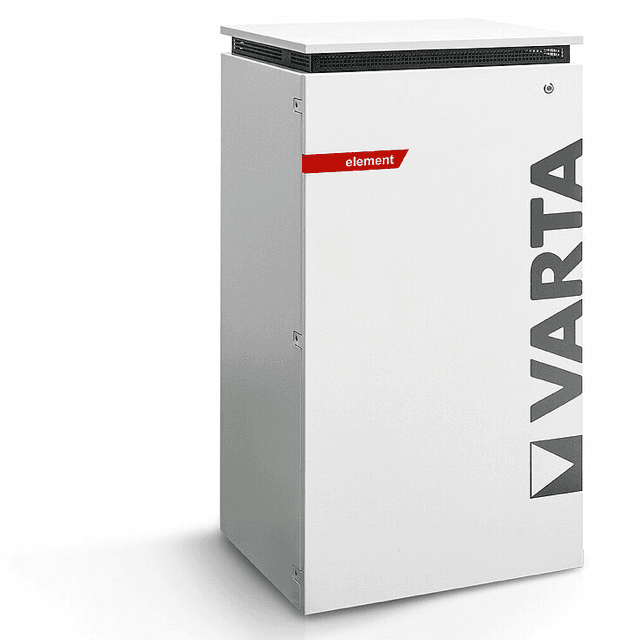
The VARTA pulse neo is a residential AC-coupled battery storage system designed for solar self-consumption in single-family homes. This Modbus TCP template reads battery active power (register 1066) and state of charge (register 1068), giving your ModbusCloud Gateway a live view of charge and discharge behavior. The write register at address 1074 lets you control the maximum discharge power remotely. Supported models include the pulse, pulse neo, element, and element backup. Use this template to turn a VARTA installation into a fully monitored and controllable storage asset in your portal.
- Protocol
- Modbus TCP
- Connection
- Ethernet, Modbus TCP
- Registers
- 3, read and write
- Brand
- VARTA
- Compatible models
- pulse · pulse neo · element · element backup
- Last updated
Registers (3)
2 read, 1 write
| Name | Unit | Access | Address (Hidden until you enter your email) | Function (hidden) | Type (hidden) |
|---|---|---|---|---|---|
| power | W | Read | |||
| soc | % | Read | |||
| batterymode | Write |
Loading registers…
Send your device list
If a device is not in the library yet, we build the template for free as soon as we have the register data.
Use cases
- Monitor battery state of charge continuously to detect gradual capacity fade across seasons.
- Track active power sign changes to verify charge and discharge cycles are operating as expected.
- Alert on state of charge dropping below a defined threshold during overnight household demand.
- Compare discharge power against household load data to identify self-consumption inefficiencies.
- Report daily charge and discharge cycles to building owners for energy performance documentation.
Installation
Connect the VARTA pulse neo to your local network via its RJ45 Ethernet port and confirm the device has a stable IP address assigned by your router or DHCP server.
In the ModbusCloud portal, add a new ModbusCloud Gateway, enter the VARTA unit's IP address and port 502, and set the Modbus unit ID to 255 as recommended in the VARTA Modbus documentation.
Import the VARTA pulse neo template from the ModbusCloud template library and assign it to the gateway you just configured, leaving register addresses at their defaults.
Trigger a manual poll in the portal and spot-check that register 1066 returns a signed watt value and register 1068 returns a percentage between 0 and 100 to confirm the connection is working.
Things to watch for
Why does the portal report only one active Modbus connection at a time?
The VARTA Modbus TCP server accepts only one client session simultaneously. If another system such as a home automation controller is already polling the device, the ModbusCloud Gateway will be refused. Disconnect or proxy the competing client before connecting the Gateway.
Register 1066 returns garbage or negative values unexpectedly. What is wrong?
Register 1066 is a signed int16. A negative value means the battery is discharging, which is correct behavior. If the magnitude looks wrong, confirm your polling tool is decoding the register as int16 (signed), not uint16 (unsigned). Using uint16 will produce large incorrect positive values during discharge.
The gateway connects but stops receiving data after a few minutes.
The VARTA Modbus server is sensitive to poll frequency. Keep the request interval at one second or slower, as documented by VARTA. A too-rapid polling loop can cause the server to drop or reset the TCP connection. Adding a short delay between requests resolves most dropout issues.
Is it safe to write to register 1074 to control discharge?
Use register 1074 with caution. Writing 0 halts discharge immediately. The register controls maximum discharge power and is not fully documented in all official VARTA Modbus revisions. Test with the battery in a non-critical state first. Incorrect values can interfere with normal energy management and may affect warranty conditions. Always restore normal operation values after testing.
Want to see how it works?
