









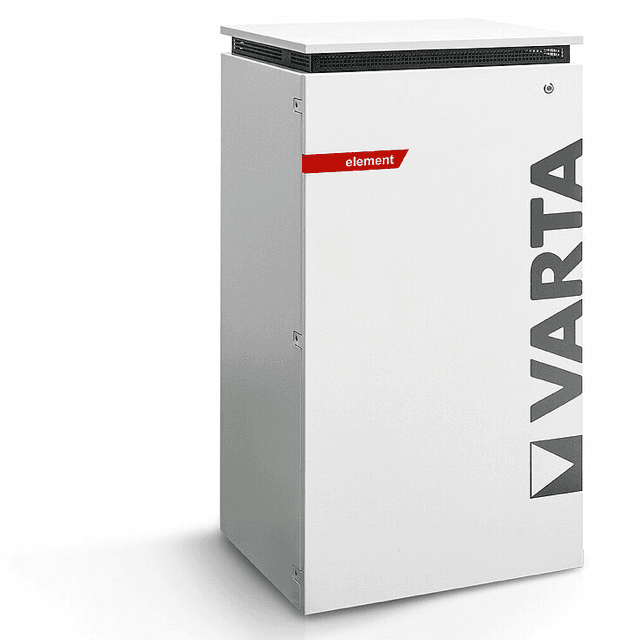
VARTA element backup (pv)
The VARTA element backup (pv) is a residential AC-coupled battery storage system covering the pulse, pulse neo, element, and element backup product lines. This Modbus TCP template reads the PV generation power reported at register 1102, which the storage unit measures through its dedicated physical PV sensor input. The reading is only available when a current sensor is wired to the RJ12 PV sensor port on the unit, not when PV data originates from a SunSpec inverter connection. Importing this template into ModbusCloud lets you log and alert on locally measured solar yield alongside the rest of your energy monitoring.
- Protocol
- Modbus TCP
- Connection
- Ethernet, Modbus TCP
- Registers
- 1, read only
- Brand
- VARTA
- Compatible models
- pulse · pulse neo · element · element backup
- Last updated
Registers (1)
1 read, 0 write
| Name | Unit | Access | Address (Hidden until you enter your email) | Function (hidden) | Type (hidden) |
|---|---|---|---|---|---|
| power | W | Read |
Loading registers…
Send your device list
If a device is not in the library yet, we build the template for free as soon as we have the register data.
Use cases
- Monitor PV sensor power in real time to verify the current sensor is correctly installed and measuring.
- Track solar generation trends over days and weeks to identify shading or soiling on panels.
- Alert on zero readings during daylight hours to catch a disconnected or failed PV current sensor early.
- Compare sensor-measured PV power against inverter output to spot calibration drift over time.
- Report daily PV yield to building owners as part of a regular energy performance summary.
Installation
Connect the VARTA current sensor to the RJ12 PV sensor port on the storage unit so that register 1102 is populated; without this wiring the register returns an exception.
Connect the VARTA storage unit to your local network via its RJ45 Ethernet port and note the IP address assigned to it by your router.
In the ModbusCloud portal, add a ModbusCloud Gateway on the same LAN segment, import the VARTA element backup (pv) template, set the host to the unit's IP address, port 502, and unit ID 255.
Open the live register view in your portal and confirm that the power register at address 1102 returns a plausible watt value during daylight; a Modbus exception code 2 means the PV sensor input is not active.
Things to watch for
Register 1102 returns exception code 2 (illegal data address). Why?
Register 1102 is only served by the VARTA Modbus TCP server when PV generation is measured through the physical current sensor wired to the RJ12 PV sensor input. If PV data comes from a SunSpec inverter connection instead, the register is not populated and the device returns an illegal data address exception.
The Gateway connects to port 502 but then times out. What is wrong?
The VARTA storage unit supports only one Modbus TCP connection at a time. If another system such as a home automation controller or inverter is already holding that connection, subsequent clients receive a timeout. Disconnect the competing client or route all traffic through a Modbus proxy to share the single session.
Power reads zero even though PV panels are producing. What should I check?
Verify that the current sensor clamp is physically clamped around the correct conductor and that the RJ12 cable is fully seated in the PV sensor port on the storage unit. A loose connector or a clamp on a neutral or earth conductor will produce a zero or near-zero reading regardless of actual generation.
Values fluctuate or jump erratically between polls. Is this a scaling issue?
Register 1102 is a uint16 value with no additional scaling factor; the raw register value represents watts directly. Erratic jumps are more likely caused by the VARTA unit dropping and re-establishing the TCP connection between polls. Keeping poll intervals at one second or using a persistent Modbus proxy connection stabilises readings.
Want to see how it works?
