









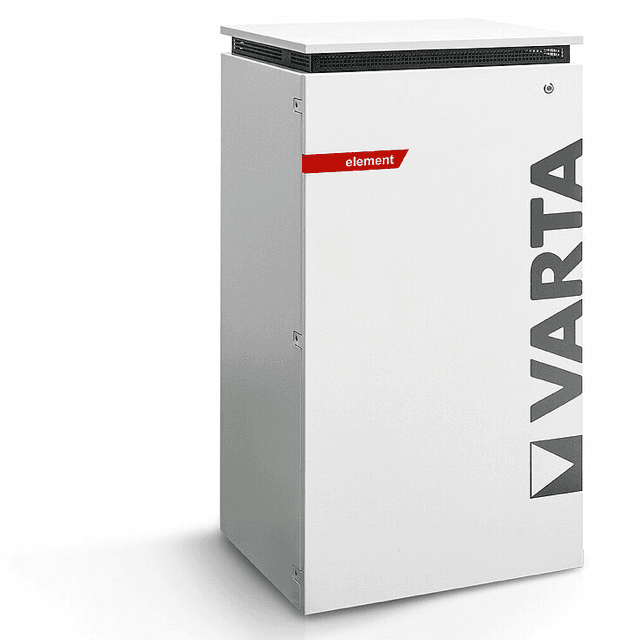
VARTA element (grid)
The VARTA element (grid) is a residential AC-coupled battery storage system, covering the pulse, pulse neo, element, and element backup models, designed to maximise self-consumption from rooftop PV installations. This Modbus TCP template reads the grid-connection power (register 1078), giving you a real-time signed watt reading that shows whether the household is importing from or exporting to the grid. Connecting the ModbusCloud Gateway to the VARTA Modbus TCP server on port 502 lets installers and building owners track grid exchange continuously without relying on the manufacturer cloud portal.
- Protocol
- Modbus TCP
- Connection
- Ethernet, Modbus TCP
- Registers
- 1, read only
- Brand
- VARTA
- Compatible models
- pulse · pulse neo · element · element backup
- Last updated
Registers (1)
1 read, 0 write
| Name | Unit | Access | Address (Hidden until you enter your email) | Function (hidden) | Type (hidden) |
|---|---|---|---|---|---|
| power | W | Read |
Loading registers…
Send your device list
If a device is not in the library yet, we build the template for free as soon as we have the register data.
Use cases
- Monitor real-time grid import and export power to verify the battery is optimising self-consumption correctly.
- Alert on sustained grid import above a threshold to detect a battery that has stopped discharging unexpectedly.
- Track grid-power trends over days and weeks to confirm the storage system is performing to specification.
- Compare grid-connection readings across multiple VARTA sites from a single ModbusCloud multi-site overview.
- Verify grid export drops to near zero during peak PV production to confirm self-consumption mode is active.
Installation
Confirm that the VARTA storage system is connected to your local LAN via Ethernet and that its built-in Modbus TCP server is active; no separate activation step is required on current firmware.
Connect the ModbusCloud Gateway to the same LAN segment as the VARTA unit, ensuring TCP port 502 is reachable from the Gateway to the VARTA IP address.
In the ModbusCloud portal, add a new device, import the VARTA element (grid) template, enter the VARTA unit's IP address, set port to 502, and set the Modbus unit ID to 255.
Trigger a manual poll in the portal and confirm register 1078 returns a plausible signed watt value: negative indicates export, positive indicates import from the grid.
Things to watch for
The gateway connects but register 1078 always returns zero. Why?
A zero reading on the grid-power register typically means the internal current transformer has lost its signal or the VARTA EMS has not yet synchronised. Check that the grid sensor is firmly seated in the distribution board and that the storage system shows a normal operating state in its web interface before re-polling.
Modbus connection drops after a few minutes. What is wrong?
VARTA's Modbus TCP server is known to close idle connections. ModbusCloud polls at most once per minute, every 5 minutes by default, so it cannot keep the session open with one-second polling. Longer gaps between requests cause the server to terminate the session, resulting in repeated reconnect errors.
I get exception code 2 (illegal data address) on function code 3. How do I fix it?
Some VARTA firmware versions offset register addresses by one when accessed through certain clients. Verify you are using address 1078 (not 1079) and function code 3. Also confirm the Modbus unit ID is set to 255, which is the standard identifier used by VARTA storage devices across the element and pulse product lines.
Grid-power values differ from the VARTA web portal. Which is correct?
Register 1078 reflects the reading from the built-in current transformer at the grid connection point. The VARTA web portal applies its own averaging and rounding logic. Small discrepancies are normal. If the sign or magnitude differs substantially, check that no second Modbus client is polling the device simultaneously, as concurrent sessions can cause stale reads.
Want to see how it works?
