









VARTA pulse neo (pv)
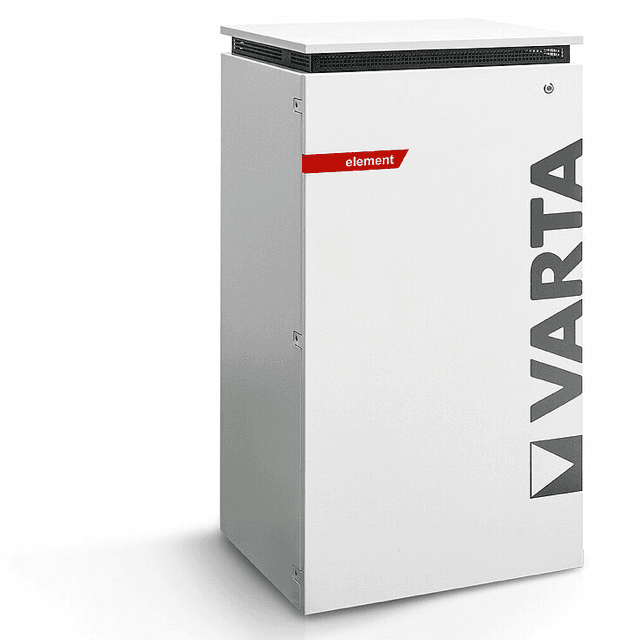
The VARTA pulse neo is an AC-coupled residential battery storage system designed for solar self-consumption. This template reads register 1102 over Modbus TCP to capture the PV generation power as measured by a physical VARTA PV sensor connected to the second sensor input of the unit. The pulse neo, pulse, element, and element backup models share this Modbus TCP interface, though register 1102 is populated only when a hardware PV sensor is wired in. Monitoring this register in the ModbusCloud portal gives installers a direct view of local solar yield independent of the inverter.
- Protocol
- Modbus TCP
- Connection
- Ethernet, Modbus TCP
- Registers
- 1, read only
- Brand
- VARTA
- Compatible models
- pulse · pulse neo · element · element backup
- Last updated
Registers (1)
1 read, 0 write
| Name | Unit | Access | Address (Hidden until you enter your email) | Function (hidden) | Type (hidden) |
|---|---|---|---|---|---|
| power | W | Read |
Loading registers…
Send your device list
If a device is not in the library yet, we build the template for free as soon as we have the register data.
Use cases
- Monitor real-time PV generation power from the VARTA PV sensor to verify correct sensor installation.
- Track solar yield over time to detect degradation or shading issues across seasons.
- Alert on zero PV output during daylight hours to spot a disconnected or faulty sensor.
- Compare PV sensor readings against grid import data to verify self-consumption calculations.
- Report daily PV generation totals to building owners as part of a regular energy performance summary.
Installation
Ensure a VARTA Split Core PV current sensor is physically connected to the RJ12 PV sensor input on the pulse neo unit, as register 1102 returns zero without this hardware.
Connect the VARTA pulse neo to your local network via the RJ45 Ethernet port, and confirm it has a fixed IP address assigned in your router or via the device web interface.
In the ModbusCloud portal, add your ModbusCloud Gateway to the same LAN segment, create a new device, import the VARTA pulse neo (pv) template, and set the Modbus unit ID to 1 and port to 502.
Read register 1102 in the live data view and confirm the value changes when PV generation is active; a zero reading during daylight indicates the PV sensor is not connected or not detected.
Things to watch for
Register 1102 always reads zero. What is wrong?
Register 1102 reports PV power only when a physical VARTA Split Core current sensor is wired into the dedicated RJ12 PV sensor port. If the unit reads its PV data via SunSpec from a connected inverter instead, register 1102 is not populated. Verify the sensor connection in the device web interface under the sensor or installation overview section.
My element backup shows no data from this template. Why?
Register 1102 is not supported on the element backup model. VARTA has confirmed this in their Modbus documentation. Use the standard VARTA element template, which reads battery power and state of charge registers, rather than this PV-sensor-specific template.
The Modbus connection drops or returns errors intermittently.
The VARTA Modbus TCP server can close idle connections. Set your polling interval to approximately one second as recommended in VARTA documentation, and ensure only one Modbus client connects at a time. Using a Modbus proxy can help if multiple tools need concurrent access.
Some users report addresses one register higher than documented. Is this a firmware issue?
Several users with newer pulse neo firmware have reported that the effective address is one higher than the documented value. If register 1102 returns an illegal data address error, try reading register 1103 as a workaround. Verify the firmware version in the device web interface and check the VARTA Modbus documentation version applicable to your firmware.
Want to see how it works?
