









Carlo Gavazzi EM110/111/112 (pv)
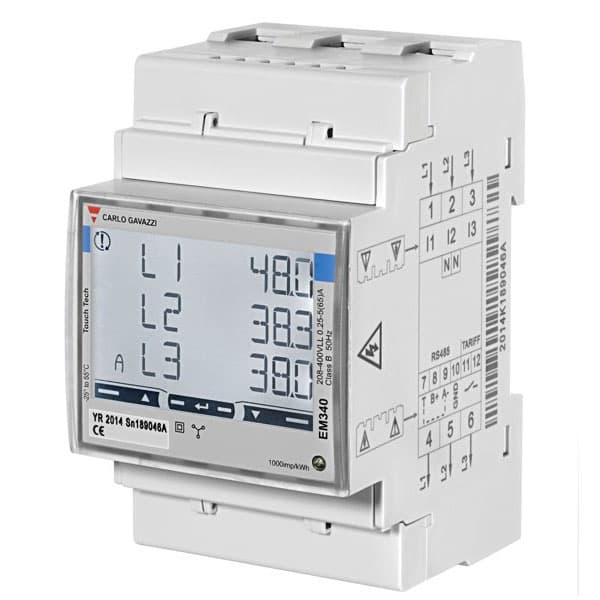
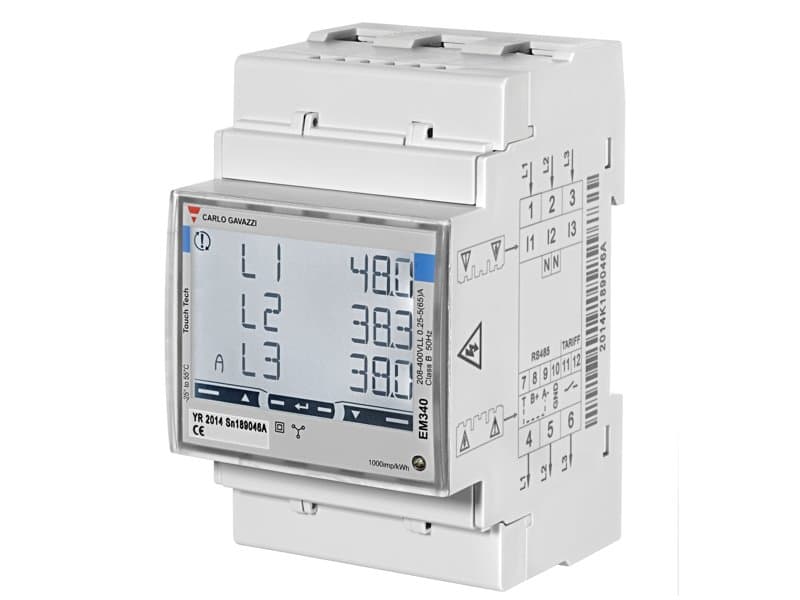
The Carlo Gavazzi EM110/111/112 and ET112 are DIN-rail single-phase energy meters and transducers used to measure active power and cumulative energy in residential and light commercial installations, including PV generation monitoring. This Modbus RTU template reads two core registers: instantaneous active power and cumulative active energy. With these values in the ModbusCloud portal, installers can track generation yield and detect consumption anomalies on a single AC phase in real time. The template covers the EM110/111/112 and ET112 variants, which share an identical Modbus register layout.
- Protocol
- Modbus RTU
- Connection
- RS485
- Registers
- 2, read only
- Brand
- Carlo Gavazzi
- Compatible models
- EM110/111/112 · ET112
- Last updated
Registers (2)
2 read, 0 write
| Name | Unit | Access | Address (Hidden until you enter your email) | Function (hidden) | Type (hidden) |
|---|---|---|---|---|---|
| power | W | Read | |||
| energy | Wh | Read |
Loading registers…
Send your device list
If a device is not in the library yet, we build the template for free as soon as we have the register data.
Use cases
- Monitor instantaneous active power output of a single-phase PV inverter to verify generation against forecast.
- Track cumulative energy over time to report monthly yield figures for a rooftop solar installation.
- Alert on sustained negative power values indicating unexpected grid export from a load-only circuit.
- Compare energy readings across multiple meters on the same RS485 bus to identify imbalanced phases.
- Verify that active power drops to zero during a scheduled shutdown to confirm correct inverter isolation.
Installation
On the EM110/111/112 or ET112, set the Modbus RTU address (default 1) and baud rate using the front keypad or Carlo Gavazzi configuration software, under the communication settings menu.
Wire the RS485 bus: connect A+, B-, and GND terminals on the meter to the corresponding terminals on the ModbusCloud Gateway, using a twisted-pair cable; enable the bus termination resistor on the last device by linking terminal T to terminal A-.
In the ModbusCloud portal, add the Gateway, then import the Carlo Gavazzi EM110/111/112 (pv) template and assign the Modbus unit ID that matches the address set on the meter.
Spot-check the connection by reading the power register in the live data view; a value consistent with the metered load or generation confirms correct wiring and addressing.
Things to watch for
Why does the power register return a constant large or garbage value?
The EM112 and ET112 use MSB-first byte order within each 16-bit word, and MSW-first word order for INT32 values. If your gateway or another tool is reading LSW first, the 32-bit power value will be scrambled. Confirm that the template uses big-endian word order (MSW before LSW) to match the Carlo Gavazzi protocol specification.
The gateway connects but both registers read zero. What should I check?
First verify the Modbus unit ID on the meter matches the one configured in the portal. Then confirm baud rate and parity match on both ends; the EM112 default is 9600 baud, even parity. Also check that the RS485 bus termination resistor is enabled on the last device by connecting terminal T to terminal A-.
The meter is on the bus but responds only intermittently. What causes this?
Intermittent responses on RS485 are usually caused by missing bus termination or a floating GND. Ensure the GND wire is connected and grounded only at the master (Gateway) side. For runs over 1000 m, a signal repeater is required. Also confirm no more than 247 transceivers are on the same bus segment.
Energy readings differ between meter display and portal. Why?
The meter can be configured in easy-connection mode (total energy, direction ignored) or bidirectional mode (import and export separated). The energy register in this template reflects whichever measurement mode is active on the device. If your application requires separate import and export totals, verify the meter's measurement mode setting matches your use case.

Want to see how it works?
