








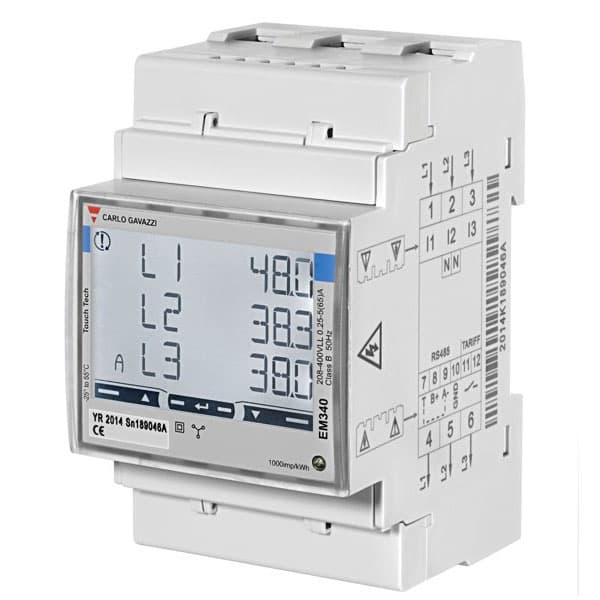
Carlo Gavazzi EM340
Measures 3-phase imported and exported energy for PV and load monitoring.
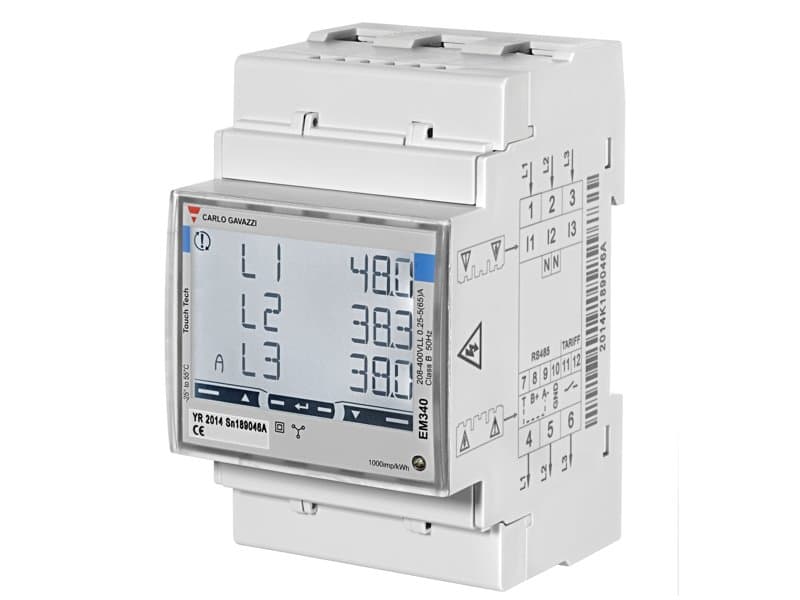
The Carlo Gavazzi EM340 is a multi-functional 3-phase energy meter communicating over Modbus RTU at 9600 baud. This template reads voltage, current, power, energy, power factor, and frequency per phase and total, and provides write access for reset and integration time controls.
- Protocol
- Modbus RTU
- Connection
- RS485, 9600 baud
- Registers
- 43, read and write
- Brand
- Carlo Gavazzi
- Key readings
- Voltage L1 to L3 and line-to-line · Current L1 to L3 · Active/Apparent/Reactive Power L1 to L3 · Total Energy imported and exported · Power Factor per phase and total · Frequency
- Available commands
- Demanded Integration Time · Partial Reset · Total Reset
- Compatible models
- EM340 · EM340DIN-AV23X
- Last updated
Registers (43)
41 read, 3 write
| Name | Unit | Access | Address (Hidden until you enter your email) | Function (hidden) | Type (hidden) |
|---|---|---|---|---|---|
| Frequency (Hz) | Hz | Read | |||
| Total Energy (kWh) | kWh | Read | |||
| T1 Total Energy (kWh) | kWh | Read | |||
| T2 Total Energy (kWh) | kWh | Read | |||
| L1 Total Energy (kWh) | kWh | Read | |||
| Total Active Power (kW) | kW | Read | |||
| Demanded Power Peak (kW) | kW | Read | |||
| L2 Total Energy (kWh) | kWh | Read | |||
| L3 Total Energy (kWh) | kWh | Read | |||
| Demanded Power (W) | W | Read | |||
| L1 Active Power (kW) | kW | Read | |||
| L2 Active Power (kW) | kW | Read | |||
| L3 Active Power (kW) | kW | Read | |||
| L1 Voltage (V) | V | Read | |||
| Power Factor | Read | ||||
| L1 Current (A) | A | Read | |||
| L2 Current (A) | A | Read | |||
| L3 Current (A) | A | Read | |||
| Demanded Integration Time (min) | min | Read and write | |||
| L2 Voltage (V) | V | Read | |||
| L3 Voltage (V) | V | Read | |||
| L1 Apparent Power (VA) | VA | Read | |||
| L1 Reactive Power (VAr) | var | Read | |||
| L1 Power Factor | Read | ||||
| Total Energy Exported (kWh) | kWh | Read | |||
| Total Reactive Energy (kVArh) | kvarh | Read | |||
| Total Reactive Energy Exported (KVArh) | kvarh | Read | |||
| L1-L2 Voltage (V) | V | Read | |||
| L2-L3 Voltage (V) | V | Read | |||
| L2 Apparent Power (VA) | VA | Read | |||
| L2 Reactive Power (VAr) | var | Read | |||
| L3-L1 Voltage (V) | V | Read | |||
| L3 Apparent Power (VA) | VA | Read | |||
| L3 Reactive Power (VAr) | var | Read | |||
| L2 Power Factor | Read | ||||
| L3 Power Factor | Read | ||||
| Partial Energy (kWh) | kWh | Read | |||
| Partial Reactive Energy (kVArh) | kvarh | Read | |||
| Total Apparent Power (VA) | VA | Read | |||
| Total Reactive Power (VAr) | var | Read | |||
| Votage (V) | V | Read | |||
| Partial Reset | Write | ||||
| Total Reset | Write |
Loading registers…
Send your device list
If a device is not in the library yet, we build the template for free as soon as we have the register data.
Use cases
- Monitor per-phase voltage, current, and power on a live dashboard to detect load imbalances.
- Track imported and exported energy totals to quantify PV self-consumption for your customer.
- Create an alert when power factor on any phase drops below a defined threshold for more than five minutes.
- Generate monthly energy reports comparing grid import versus solar export across multiple sites.
- Trigger a partial energy counter reset remotely from the cloud after a billing period ends.
- Verify correct CT and wiring polarity by comparing per-phase power readings immediately after installation.
Installation
Wire the EM340 current and voltage inputs according to the Carlo Gavazzi installation manual, ensuring correct phase sequence and CT orientation.
Connect the RS-485 A and B terminals of the EM340 to the corresponding terminals on the ModbusCloud Gateway, and add a 120 ohm termination resistor if the meter is at the end of the bus.
Set the Modbus slave address on the EM340 front panel and confirm the baud rate is 9600, matching the gateway configuration.
In the ModbusCloud platform, add a new device and select the Carlo Gavazzi EM340 template from the template library.
Enter the slave address configured on the meter and assign the device to the correct gateway in your project.
Verify that live readings appear on the dashboard, checking that voltage and current values match expected values to confirm correct wiring.
Things to watch for
The gateway reads zero or incorrect values for power registers. What should I check?
Confirm that the RS-485 wiring polarity (A and B) is not swapped between the meter and the gateway. Also verify that the slave address in ModbusCloud matches the address configured on the EM340 display.
Do I need to change the default baud rate on the EM340?
No. The template is configured for 9600 baud, which is the factory default of the EM340. Make sure the ModbusCloud gateway serial port is also set to 9600, 8N1.
Why do exported energy registers show zero even though the PV system is feeding in?
Check that the CTs are installed in the correct orientation. Reversed CTs will cause export energy to be counted as import. The Carlo Gavazzi manual specifies the correct CT direction relative to grid flow.
What data types are used in this template?
Measurement registers use int32 or uint32 data types spanning two consecutive Modbus registers. The Partial Reset and Total Reset registers are write-only uint16 values.


Want to see how it works?
