








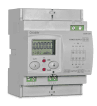
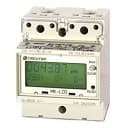
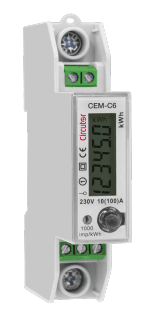
Circutor CEM-C21
Measures three-phase active and reactive energy for class B/class 1 metering.
The Circutor CEM-C21 is a static three-phase energy meter supporting class B active energy (EN50470) and optional class 2 reactive energy. This ModbusCloud template reads per-phase voltage, power, reactive power, power factor, and total power over Modbus RTU at 9600 baud.
- Protocol
- Modbus RTU
- Connection
- RS485, 9600 baud
- Registers
- 11, read only
- Brand
- Circutor
- Key readings
- Voltage F1 to F3 · Power F1 to F3 · Total Power · Reactive Power · Cos phi F1 to F3
- Compatible models
- CEM-C21
- Last updated
Registers (11)
11 read, 0 write
| Name | Unit | Access | Address (Hidden until you enter your email) | Function (hidden) | Type (hidden) |
|---|---|---|---|---|---|
| Power F1 | W | Read | |||
| Power F2 | W | Read | |||
| Power F3 | W | Read | |||
| Power | W | Read | |||
| Reactive Power | var | Read | |||
| Voltage F1 | V | Read | |||
| Voltage F2 | V | Read | |||
| Voltage F3 | V | Read | |||
| Cos phi F1 | Read | ||||
| Cos phi F2 | Read | ||||
| Cos phi F3 | Read |
Loading registers…
Send your device list
If a device is not in the library yet, we build the template for free as soon as we have the register data.
Use cases
- Monitor per-phase voltage and power on a live cloud dashboard to detect load imbalances across three phases.
- Log total active and reactive energy consumption over time for tenant billing or energy audits.
- Create an alert when power factor drops below a threshold to identify potential power quality issues.
- Compare energy usage across multiple CEM-C21 meters installed at different distribution boards in one building.
- Generate daily or monthly energy reports for facility managers without visiting the site.
Installation
Wire the Circutor CEM-C21 to the ModbusCloud Gateway using a shielded RS-485 cable, connecting A, B, and GND terminals.
Set a unique Modbus RTU slave address on the CEM-C21 using the front panel buttons, and note this address for gateway configuration.
Confirm the CEM-C21 baud rate is set to 9600 (factory default) to match the template settings.
In the ModbusCloud platform, add a new device and import the Circutor CEM-C21 template from the template library.
Enter the configured Modbus slave address in the device settings and verify that live readings appear on the dashboard.
Things to watch for
Why does the Cos phi F3 reading show incorrect values?
The Cos phi F3 register at address 1858 uses uint16 data format, while all other registers use int32. Ensure the register data type is set correctly. The ModbusCloud template already accounts for this difference.
The gateway cannot communicate with the CEM-C21. What should I check?
Verify that the RS-485 wiring is correct (A to A, B to B, GND to GND). Confirm the baud rate is 9600 and the slave address on the meter matches the address configured in the gateway. Check that the RS-485 bus is terminated if the cable run exceeds 10 meters.
Can I connect multiple CEM-C21 meters on the same RS-485 bus?
Yes. Assign each meter a unique Modbus slave address. Add a separate device entry in ModbusCloud for each meter using the same template. Ensure proper bus termination at both ends of the RS-485 line.
Does this template support reactive energy readings?
The template reads reactive power registers. Reactive energy measurement requires the optional class 2 variant of the CEM-C21. If your meter does not have this option, reactive registers may return zero.

Want to see how it works?
