








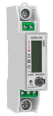
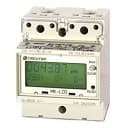
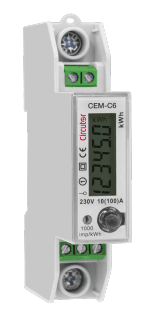
Circutor CEM-C6
Measures single-phase energy consumption bi-directionally up to 100 A via Modbus RTU.
The Circutor CEM-C6 is a single-phase energy meter that measures voltage, current, power, and energy bi-directionally up to 100 A with Class 1 precision. This ModbusCloud template reads all key electrical parameters via Modbus RTU at 9600 baud. Compatible with both CEM-C6 and CEM-C6-MID models.
- Protocol
- Modbus RTU
- Connection
- RS485, 9600 baud
- Registers
- 8, read only
- Brand
- Circutor
- Key readings
- Voltage · Current · Frequency · Active Power · Reactive Power · Total Apparent Power
- Compatible models
- CEM-C6 · CEM-C6-MID
- Last updated
Registers (8)
8 read, 0 write
| Name | Unit | Access | Address (Hidden until you enter your email) | Function (hidden) | Type (hidden) |
|---|---|---|---|---|---|
| Voltage | V | Read | |||
| Current | A | Read | |||
| Frequency | Hz | Read | |||
| Power | W | Read | |||
| Reactive Power | var | Read | |||
| Total Apparent Power | VA | Read | |||
| Total Active Power | kWh | Read | |||
| Total Reactive Power | kVarh | Read |
Loading registers…
Send your device list
If a device is not in the library yet, we build the template for free as soon as we have the register data.
Use cases
- Monitor single-phase voltage, current, and power readings on a live cloud dashboard for residential customers.
- Track bi-directional energy flow to verify solar self-consumption and grid feed-in totals remotely.
- Create an alert when current exceeds a defined threshold, signaling potential overload conditions.
- Compare active and reactive power to assess power factor and identify inefficient loads.
- Log historical energy consumption data for monthly reporting or billing verification on MID-certified meters.
- Sub-meter individual circuits in a commercial building and visualize usage per tenant.
Installation
Connect the ModbusCloud Gateway to the RS-485 terminals on the Circutor CEM-C6 using a twisted-pair cable, observing correct A and B polarity.
Set the baud rate on the CEM-C6 to 9600 and assign a unique Modbus slave address using the meter's front-panel buttons as described in the Circutor user manual.
Ensure the RS-485 bus is terminated with a 120 ohm resistor at both ends if the cable run exceeds a few meters or if communication errors occur.
In the ModbusCloud platform, import the Circutor CEM-C6 template and set the slave address to match the address configured on the meter.
Power up the gateway and verify that live readings for voltage, current, and power appear on the ModbusCloud dashboard.
If multiple CEM-C6 meters are on the same bus, add a separate template instance for each meter with its corresponding slave address.
Things to watch for
Why do the Total Active Power (kWh) or Total Reactive Power (kVarh) values look incorrect?
These registers (address 7 and address 11) are uint32 and span two consecutive Modbus registers. If your setup reads them as uint16, the values will be truncated or wrong. The ModbusCloud template handles this automatically, but verify that no manual override has changed the data type.
The gateway cannot communicate with the CEM-C6. What should I check?
Confirm the RS-485 wiring polarity (A and B) matches between the meter and the gateway. Verify that the baud rate is set to 9600 on both the meter and the gateway. Also check that the Modbus slave address in the template matches the address configured on the meter.
Can I use both CEM-C6 and CEM-C6-MID with the same template?
Yes. Both models share the same Modbus register map. The MID variant adds metrological certification but does not change the communication protocol or register layout.
How many CEM-C6 meters can I connect on one RS-485 bus?
Modbus RTU supports up to 247 slave addresses on a single bus. In practice, keep cable lengths reasonable and ensure proper termination. Each meter needs a unique slave address and its own template instance in ModbusCloud.

Want to see how it works?
