








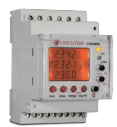
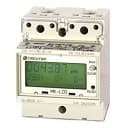
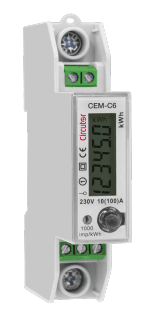
Circutor CVM-MINI
Measures and displays electrical parameters for three-phase industrial systems via Modbus RTU.
The Circutor CVM-MINI is a compact three-phase power analyzer for industrial electrical systems. This ModbusCloud template reads voltage, current, power, energy, power factor, frequency, THD, and temperature via Modbus RTU at 9600 baud. It supports both balanced and unbalanced three-phase configurations.
- Protocol
- Modbus RTU
- Connection
- RS485, 9600 baud
- Registers
- 48, read only
- Brand
- Circutor
- Key readings
- Voltage L1 to L3 and line-to-line · Current L1 to L3 and neutral · Active/Reactive/Apparent Power per phase and total · Power Factor and Cos phi · Active/Reactive/Apparent Energy · THD Voltage and Current L1 to L3
- Compatible models
- CVM-MINI
- Last updated
Registers (48)
48 read, 0 write
| Name | Unit | Access | Address (Hidden until you enter your email) | Function (hidden) | Type (hidden) |
|---|---|---|---|---|---|
| Tension L1 | V | Read | |||
| Current L1 | mA | Read | |||
| Active Power L1 | w | Read | |||
| Reactive Power L1 | w | Read | |||
| Aparent Power L1 | w | Read | |||
| Power Factor L1 | Read | ||||
| Tension L2 | V | Read | |||
| Current L2 | mA | Read | |||
| Active Power L2 | w | Read | |||
| Reactive Power L2 | w | Read | |||
| Aparent Power L2 | w | Read | |||
| Power Factor L2 | Read | ||||
| Tension L3 | V | Read | |||
| Current L3 | mA | Read | |||
| Active Power L3 | w | Read | |||
| Reactive Power L3 | w | Read | |||
| Aparent Power L3 | w | Read | |||
| Power Factor L3 | Read | ||||
| Active Power III | w | Read | |||
| Inductive Power III | w | Read | |||
| Capacitive Power III | w | Read | |||
| Cos φ III | Read | ||||
| Power Factor III | Read | ||||
| Frequency | Hz | Read | |||
| Tension L1-L2 | V | Read | |||
| Tension L2-L3 | V | Read | |||
| Tension L3-L1 | V | Read | |||
| _ THD V L1 | % | Read | |||
| _ THD V L2 | % | Read | |||
| _ THD V L3 | % | Read | |||
| _ THD A L1 | % | Read | |||
| _ THD A L2 | % | Read | |||
| _ THD A L3 | % | Read | |||
| Aparent Power III | w | Read | |||
| Maximum Demand | w | Read | |||
| Three-phase Current | mA | Read | |||
| Neutral Current | mA | Read | |||
| Maximum Demand A2 | mA | Read | |||
| Maximum Demand A3 | w | Read | |||
| Active Energy | w/h | Read | |||
| Inductive Reactive Energy | w/h | Read | |||
| Capacitive Reactive Energy | w/h | Read | |||
| Aparent Energy | w/h | Read | |||
| Active Energy Generated | w/h | Read | |||
| Inductive Energy Generated | w/h | Read | |||
| Capacitive Energy Generated | w/h | Read | |||
| Aparent Energy Generated | w/h | Read | |||
| Temperature | °C | Read |
Loading registers…
Send your device list
If a device is not in the library yet, we build the template for free as soon as we have the register data.
Use cases
- Monitor three-phase voltage and current per phase on a live cloud dashboard for facility management.
- Track active and reactive energy consumption over time to identify usage patterns and reduce costs.
- Create alerts when power factor drops below a defined threshold to avoid utility penalties.
- Compare per-phase load distribution to detect imbalance in three-phase industrial installations.
- Log THD values for voltage and current to assess power quality and plan corrective measures.
- Generate periodic energy reports for tenants or departments in a sub-metered building.
Installation
Wire the RS-485 A and B terminals of the CVM-MINI to the corresponding terminals on your ModbusCloud Gateway.
On the CVM-MINI front panel, verify that the Modbus RTU slave address is set to a unique value on the bus and note this address.
Confirm the baud rate on the CVM-MINI is set to 9600, matching the default template configuration.
Power on the ModbusCloud gateway and connect it to your local network or use its cellular connection.
In the ModbusCloud platform, import the Circutor CVM-MINI template and assign the correct Modbus slave address.
Verify that live readings on the ModbusCloud dashboard match the values shown on the CVM-MINI display.
Things to watch for
Why do current values appear very large on the dashboard?
The CVM-MINI reports current in milliamps (mA). Ensure the template scaling is applied correctly so values display in amps. If you customized the template, divide the raw register value by 1000.
Some apparent power readings seem to come from unexpected register addresses. Is this normal?
Yes. The CVM-MINI uses non-contiguous register addresses for apparent power per phase (e.g., address 74 for L1). The template already maps these correctly, so no manual adjustment is needed.
What RS-485 wiring is required?
Connect A and B differential lines from the CVM-MINI to the gateway. Use a twisted pair cable and add a 120 ohm termination resistor at the last device on the bus if the cable run exceeds a few meters.
Can I connect multiple CVM-MINI devices on one Modbus bus?
Yes. Assign each CVM-MINI a unique Modbus slave address via its front panel menu. Then add a separate device entry in ModbusCloud for each unit, all using the same template.

Want to see how it works?
