








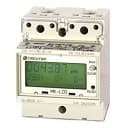
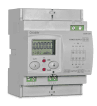
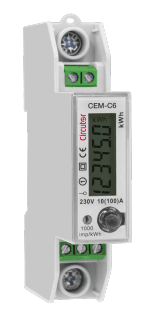
Circutor Mk-LCD Single-phase energy meter
Monitors single-phase energy, power, voltage, and frequency via Modbus RTU.
Template for the Circutor Mk-LCD single-phase energy meter over Modbus RTU. It reads total energy, partial energy, power, voltage, current, and frequency, and provides a partial energy reset actuator.
- Protocol
- Modbus RTU
- Connection
- RS485, 9600 baud
- Registers
- 7, read and write
- Brand
- Circutor
- Key readings
- Energy (kWh) · Partial energy (kWh) · Power (kW) · Voltage (V) · Current (A) · Frequency (Hz)
- Available commands
- Partial reset
- Compatible models
- Circutor Mk-LCD
- Last updated
Registers (7)
6 read, 1 write
| Name | Unit | Access | Address (Hidden until you enter your email) | Function (hidden) | Type (hidden) |
|---|---|---|---|---|---|
| Partial reset | Write | ||||
| Energy (Kwh) | Kw·h | Read | |||
| Voltage (v) | V | Read | |||
| Power (Kw) | kW | Read | |||
| Amps (A) | A | Read | |||
| Frequency (Hz) | Hz | Read | |||
| Partial energy (Kwh) | Kw·h | Read |
Loading registers…
Send your device list
If a device is not in the library yet, we build the template for free as soon as we have the register data.
Use cases
- Monitor real-time single-phase energy consumption on a remote dashboard for residential customers.
- Track partial energy usage between manual resets to measure consumption per billing cycle.
- Create an alert when active power exceeds a defined threshold indicating potential overload.
- Log voltage and frequency trends over time to detect grid quality issues at a customer site.
- Reset the partial energy counter remotely via the ModbusCloud platform without visiting the installation.
- Compare energy readings across multiple Circutor Mk-LCD meters installed on different circuits.
Installation
Wire the Circutor Mk-LCD RS-485 terminals (A and B) to the corresponding RS-485 port on your ModbusCloud Gateway, observing correct polarity.
Set a unique Modbus slave address on the Mk-LCD using its front panel buttons, and note this address for gateway configuration.
Confirm the meter is configured for 9600 baud, 8 data bits, 1 stop bit, and no parity, matching the default Modbus RTU settings.
Import the Circutor Mk-LCD template in the ModbusCloud platform and assign the slave address you configured on the meter.
Verify that live readings for energy, power, voltage, current, and frequency appear correctly on the ModbusCloud dashboard.
Test the partial energy reset function by writing to register 2103 from the platform and confirming the partial energy counter returns to zero.
Things to watch for
Why am I not getting any readings from the Circutor Mk-LCD?
Check that the RS-485 A and B wires are not swapped and that the slave address configured in ModbusCloud matches the address set on the meter. Also verify the baud rate is set to 9600 on both the meter and the gateway.
What data type should I use for the read registers?
All measurement registers on the Mk-LCD use uint32, which means each value spans two consecutive 16-bit Modbus registers. The template already handles this mapping, so no manual adjustment is needed.
How do I reset the partial energy counter remotely?
The partial energy reset is a uint16 write register at Modbus address 2103. You can trigger the reset from the ModbusCloud platform using the control included in the template.
Do I need a termination resistor on the RS-485 bus?
If the Mk-LCD is the last device on the RS-485 bus or if the cable run exceeds approximately 100 meters, a 120 ohm termination resistor between A and B at the end of the line is recommended to reduce signal reflections.

Want to see how it works?
