








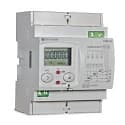
Circutor CEM-C31
Monitors multifunctional energy metering across three phases via Modbus RTU.
Template for the Circutor CEM-C31 three-phase energy meter over Modbus RTU. Reads voltage, current, power factor, active and reactive energy (total and partial), and apparent power. Also supports a partial energy reset command via a write register.
- Protocol
- Modbus RTU
- Connection
- RS485, 9600 baud
- Registers
- 15, read and write
- Brand
- Circutor
- Key readings
- Voltage L1 to L3 · Amps L1 to L3 · Cos phi L1 to L3 · Active energy (total and partial) · Reactive energy (total and partial) · Total power
- Available commands
- Partial Reset
- Compatible models
- CEM-C31
- Last updated
Registers (15)
14 read, 1 write
| Name | Unit | Access | Address (Hidden until you enter your email) | Function (hidden) | Type (hidden) |
|---|---|---|---|---|---|
| Voltage 1 (V) | V | Read | |||
| Voltage 2 (V) | V | Read | |||
| Voltage 3 (V) | V | Read | |||
| Cos phi F1 | Read | ||||
| Cos phi F2 | Read | ||||
| Cos phi F3 | Read | ||||
| Energy (Kwh) | kWh | Read | |||
| Partial Energy (Kwh) | kWh | Read | |||
| Energy reac. (Kwrh) | kvarh | Read | |||
| Partial Energy reac. (Kwrh) | kvarh | Read | |||
| Power (Kw) | kW | Read | |||
| Amps 1 (A) | A | Read | |||
| Amps 2 (A) | A | Read | |||
| Amps 3 (A) | A | Read | |||
| Partial Reset | Write |
Loading registers…
Send your device list
If a device is not in the library yet, we build the template for free as soon as we have the register data.
Use cases
- Monitor three-phase voltage, current, and power factor on a live cloud dashboard for each customer site.
- Track total and partial active energy consumption to support billing or energy audits remotely.
- Create an alert when current on any phase exceeds a defined threshold for more than five minutes.
- Reset partial energy counters remotely at the start of a new billing period using the partial reset command.
- Compare reactive energy values across phases to identify power quality issues in commercial buildings.
- Generate historical energy reports per site to advise customers on consumption reduction strategies.
Installation
Wire the RS-485 A and B terminals of the Circutor CEM-C31 to the corresponding RS-485 port on the ModbusCloud Gateway.
Ensure the CEM-C31 is configured with Modbus RTU enabled, baud rate set to 9600, and a unique slave address on the bus.
Verify correct RS-485 bus termination if the meter is the last device on the daisy chain.
Import the Circutor CEM-C31 template in the ModbusCloud platform and assign it to your gateway.
Set the Modbus slave address in the template configuration to match the address configured on the meter.
Confirm live data appears on the dashboard by checking voltage and current readings against expected values.
Things to watch for
I see zero values for voltage and current but energy registers read correctly. What is wrong?
Instantaneous values like voltage and current are in the 1842+ register range, while energy registers start at low addresses. Verify that your gateway polling configuration covers both address ranges. Some gateways split polling into multiple requests if the address gap is large.
What baud rate and parity settings should I use?
The default configuration for the CEM-C31 in this template is 9600 baud. Check the meter display or configuration menu for the parity setting (commonly 8N1 or 8N2) and match it on the gateway serial port settings.
Can I connect multiple CEM-C31 meters on the same RS-485 bus?
Yes. Assign each meter a unique Modbus slave address using the meter front panel. Then create a separate device in ModbusCloud for each meter, selecting the same template but with the corresponding slave address.
How does the partial reset register work?
Writing the appropriate value to the partial reset register clears the partial energy counters on the meter. This can be triggered from the ModbusCloud platform. The total energy counters are not affected by this command.

Want to see how it works?
