








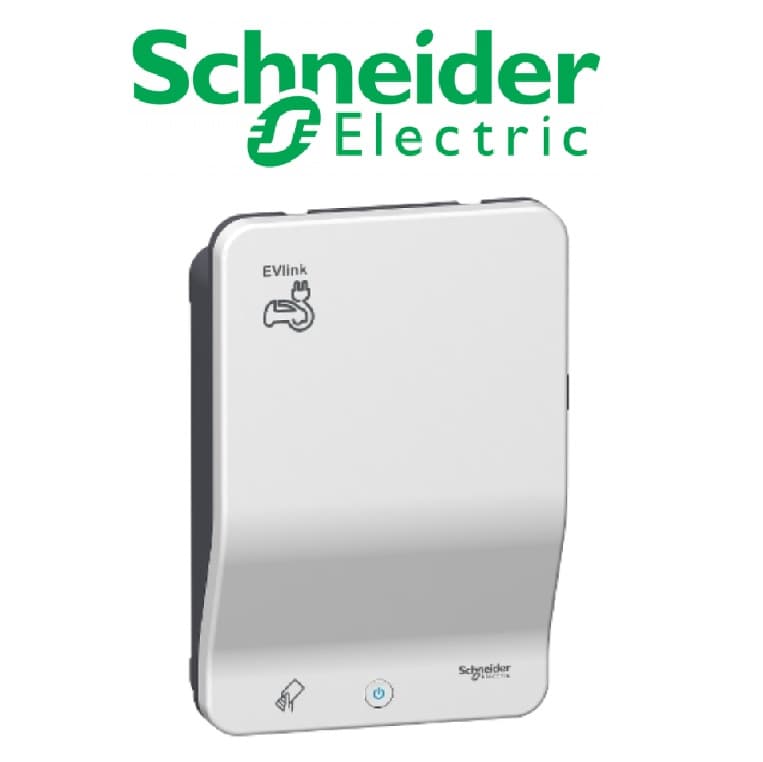
Schneider EVlink Wallbox G4 Smart
Controls and monitors Schneider EVlink G4 Smart Wallbox EV charging via Modbus TCP.
Template for the Schneider EVlink Wallbox G4 Smart EV charger via Modbus TCP. Reads charging status, energy metering, voltage, current, and power data. Allows remote control commands and current limitation adjustments.
- Protocol
- Modbus TCP
- Connection
- Ethernet, Modbus TCP
- Registers
- 18, read and write
- Key readings
- Remote control status · Charging station status (CPW) · Cable state · Station total power · Voltage L1 to L3 · Current L1 to L3
- Available commands
- Remote control command · Current limitation
- Compatible models
- EVlink Wallbox G4 Smart
- Last updated
Registers (18)
16 read, 2 write
| Name | Unit | Access | Address (Hidden until you enter your email) | Function (hidden) | Type (hidden) |
|---|---|---|---|---|---|
| Remote control status | Read | ||||
| Error status higher order bits (MSB) | Read | ||||
| Error status low-order bits (LSB) | Read | ||||
| Status charging station (CPW) | Read | ||||
| Cable State | Read | ||||
| Last charging interruption | Read | ||||
| Station total power | kW | Read | |||
| Voltage L1 | V | Read | |||
| Voltage L2 | V | Read | |||
| Voltage L3 | V | Read | |||
| Current L1 | A | Read | |||
| Current L2 | A | Read | |||
| Current L3 | A | Read | |||
| Charging station energy | mWh | Read | |||
| E-Vehicle loading time | s | Read | |||
| E-Vehicle session time | s | Read | |||
| Remote control command | Write | ||||
| Current limitation | Write |
Loading registers…
Send your device list
If a device is not in the library yet, we build the template for free as soon as we have the register data.
Use cases
- Monitor real-time charging status, voltage, current, and power per phase on a live cloud dashboard.
- Set current limitations remotely to balance load across multiple EV chargers on a shared grid connection.
- Track cumulative energy consumption per wallbox for cost allocation and billing reports.
- Create alerts when the charging station reports an error status or cable disconnection.
- Start or stop charging sessions remotely using the remote control command register.
- Review historical session data to optimize charger utilization across a parking facility.
Installation
Connect the Schneider EVlink G4 Smart Wallbox to the same IP network as your ModbusCloud Gateway.
Ensure Modbus TCP is enabled on the wallbox and note its IP address and Modbus TCP port (default is 502).
Configure the Modbus unit ID on the wallbox if multiple devices share the same network segment.
In the ModbusCloud portal, add a new device and select the Schneider EVlink Wallbox G4 Smart template from the library.
Enter the wallbox IP address, port, and unit ID in the gateway configuration and verify the connection.
Confirm that live values for voltage, current, and charging status appear correctly on the ModbusCloud dashboard.
Things to watch for
Why does the energy reading seem extremely high or incorrect?
The energy register at address 356 is a uint32 value expressed in milliwatt-hours (mWh), not kilowatt-hours. Divide by 1,000,000 to convert to kWh. The template applies the correct scaling automatically.
Why do voltage and current readings show zero or unexpected values?
Voltage, current, and power registers are Float32 values that span two consecutive Modbus addresses. Ensure your gateway is configured to read both addresses as a single 32-bit float with the correct byte order (big-endian).
How do I read the error status correctly?
The error status is split across two registers: the most significant byte is at address 22 and the least significant byte is at address 23. Both registers must be read and combined to get the full error code.
The wallbox does not respond to Modbus TCP requests. What should I check?
Verify that Modbus TCP is enabled in the wallbox configuration menu. Confirm the IP address, TCP port (typically 502), and unit ID match the settings in your ModbusCloud gateway. Check that no firewall rules block traffic on the configured port.
More Schneider Electric GmbH templates
Want to see how it works?
