








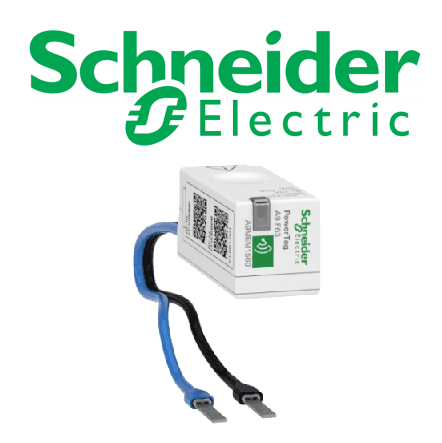
Schneider PowerTag flex-series (1-phase)
Reads single-phase energy data from Schneider PowerTag flex-series sensors via Modbus TCP.
This template reads single-phase energy data from Schneider Electric PowerTag flex-series sensors via Modbus TCP. It retrieves current, voltage, active power, and total imported energy. No control functions are included.
- Protocol
- Modbus TCP
- Connection
- Ethernet, Modbus TCP
- Registers
- 4, read only
- Key readings
- Current A · Voltage A-N · Active Power A · Energy Active Total Import
- Compatible models
- PowerTag flex-series (1-phase)
- Last updated
Registers (4)
4 read, 0 write
| Name | Unit | Access | Address (Hidden until you enter your email) | Function (hidden) | Type (hidden) |
|---|---|---|---|---|---|
| Current A | A | Read | |||
| Voltage A-N | V | Read | |||
| Active Power A | W | Read | |||
| Energy Active Total Import | kWh | Read |
Loading registers…
Send your device list
If a device is not in the library yet, we build the template for free as soon as we have the register data.
Use cases
- Monitor real-time current, voltage, and active power per circuit on a cloud dashboard.
- Track total imported energy over time to verify utility billing or tenant sub-metering.
- Create an alert when active power on a branch circuit exceeds a predefined threshold.
- Compare energy consumption across multiple single-phase circuits in a distribution board.
- Generate weekly or monthly energy reports for facility managers or building owners.
Installation
Connect the Schneider PowerTag flex-series sensor to a compatible Schneider gateway (e.g. PowerTag Link or Panel Server) and verify it appears in the gateway configuration.
Ensure the Schneider gateway has a static IP address and that Modbus TCP is enabled on its network interface.
Connect the ModbusCloud Gateway to the same local network as the Schneider gateway via Ethernet.
In the ModbusCloud platform, import the Schneider PowerTag flex-series (1-phase) template and enter the IP address and Modbus unit ID of the Schneider gateway.
Verify that live values for current, voltage, active power, and total energy appear on the ModbusCloud dashboard.
Things to watch for
Why do I get zero or no response for the energy register but current and voltage work?
The Energy Active Total Import register at address 3203 uses uint64 format, which spans four consecutive registers. Make sure the Modbus client configuration supports 64-bit integer reads. The template handles this automatically, but custom polling tools may not.
What Schneider gateway do I need between the PowerTag sensor and the ModbusCloud gateway?
PowerTag flex sensors communicate wirelessly and require a Schneider intermediary such as the PowerTag Link or EcoStruxure Panel Server. This device exposes the sensor data as Modbus TCP registers on the local network.
Can I monitor multiple PowerTag sensors with a single template?
Each PowerTag sensor typically has its own Modbus unit ID on the Schneider gateway. You need to create a separate device instance in ModbusCloud for each sensor, using the same template but a different unit ID.
What baud rate or serial settings do I need?
This template uses Modbus TCP, so serial settings like baud rate do not apply. Ensure the Schneider gateway and the ModbusCloud gateway are on the same IP network and that TCP port 502 is accessible.
Want to see how it works?
