








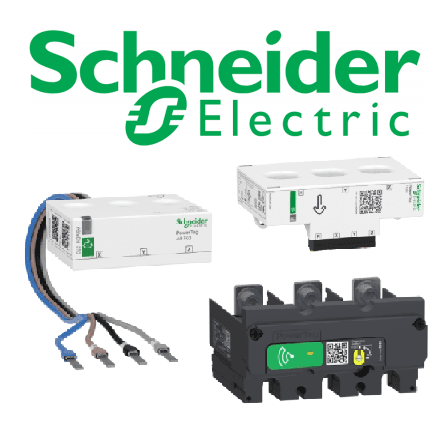
Schneider PowerTag (3-phase)
Reads three-phase energy and power data from Schneider PowerTag sensors.
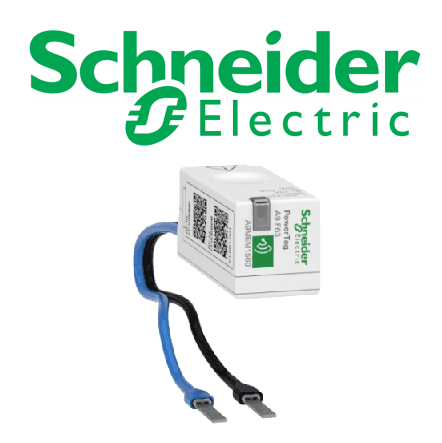
This template reads three-phase energy and power data from Schneider Electric PowerTag sensors via Modbus TCP. It captures per-phase voltage, current, active power, and total imported energy. Compatible with the PowerTag flex series, PowerTag NSX, PowerTag F160, and PowerTag Rope.
- Protocol
- Modbus TCP
- Connection
- Ethernet, Modbus TCP
- Registers
- 15, read only
- Key readings
- Current A/B/C/N · Voltage A-B, B-C, C-A · Voltage A-N, B-N, C-N · Active Power A/B/C · Active Power Total · Energy Active Total Import
- Compatible models
- PowerTag flex series · PowerTag NSX · PowerTag F160 · PowerTag Rope
- Last updated
Registers (15)
15 read, 0 write
| Name | Unit | Access | Address (Hidden until you enter your email) | Function (hidden) | Type (hidden) |
|---|---|---|---|---|---|
| Current A | A | Read | |||
| Current B | A | Read | |||
| Current C | A | Read | |||
| Current N | A | Read | |||
| Voltage A-B | V | Read | |||
| Voltage B-C | V | Read | |||
| Voltage C-A | V | Read | |||
| Voltage A-N | V | Read | |||
| Voltage B-N | V | Read | |||
| Voltage C-N | V | Read | |||
| Active Power A | W | Read | |||
| Active Power B | W | Read | |||
| Active Power C | W | Read | |||
| Active Power | W | Read | |||
| Energy Active Total Import | kWh | Read |
Loading registers…
Send your device list
If a device is not in the library yet, we build the template for free as soon as we have the register data.
Use cases
- Monitor per-phase voltage, current, and active power on a live cloud dashboard for commercial buildings.
- Track total imported energy over time to verify billing accuracy or detect unexpected consumption increases.
- Create an alert when neutral current exceeds a defined threshold, indicating possible load imbalance.
- Compare energy consumption across multiple circuits by deploying one template per PowerTag sensor.
- Generate weekly or monthly energy reports for facility managers without visiting the site.
- Detect phase voltage drops below nominal levels to identify potential supply issues early.
Installation
Ensure the Schneider Smartlink gateway is installed, powered, and connected to the local network with a known IP address.
Verify that each PowerTag sensor is paired with the Smartlink gateway and visible in the Schneider configuration tool.
Connect the ModbusCloud Gateway to the same local network as the Smartlink gateway.
In the ModbusCloud platform, import the Schneider PowerTag (3-phase) template and assign the correct IP address and Modbus TCP port of the Smartlink gateway.
Confirm that register data is flowing by checking live values for voltage and current on the ModbusCloud dashboard.
If multiple PowerTag sensors are installed, duplicate the template and adjust the Modbus unit ID for each sensor.
Things to watch for
Why am I reading zero values for all registers?
Check that the Smartlink gateway is online and reachable on the network. Verify the IP address and TCP port (usually 502) configured in the ModbusCloud template match the Smartlink settings. Also confirm the correct Modbus unit ID for the specific PowerTag.
What encoding do the registers use?
All analog registers (voltage, current, power) use float32 encoding. The total imported energy register at address 3203 uses uint64 encoding and reports values in kWh.
Can I use this template with a single-phase PowerTag?
This template is designed for three-phase PowerTag models. A single-phase sensor will only populate one phase of data. Use a dedicated single-phase template if available for cleaner results.
Which Schneider PowerTag models are supported?
The template supports the PowerTag flex series, PowerTag NSX, PowerTag F160, and PowerTag Rope. All models expose the same register map through the Smartlink gateway.
More Schneider Electric GmbH templates
Want to see how it works?
