








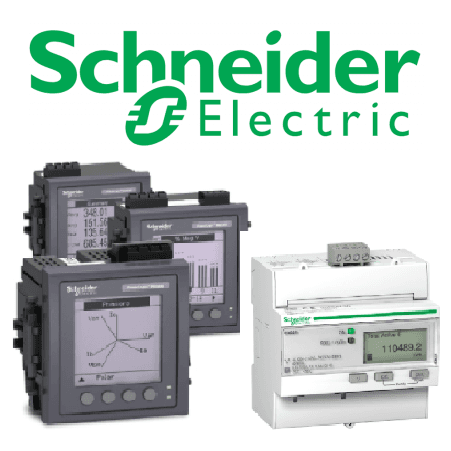
Schneider Energy Meter (3-phase) via Modbus TCP
Reads 3-phase energy metering data from Schneider Electric meters via Modbus TCP.
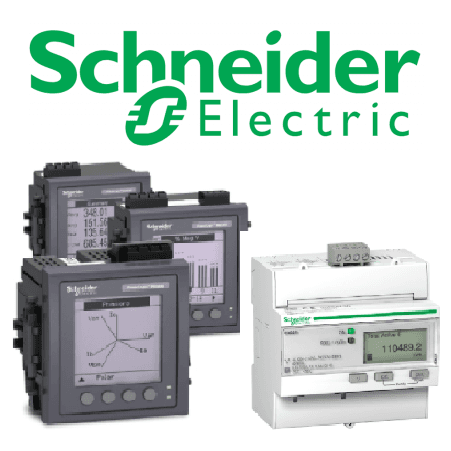
This template reads 3-phase energy metering data from Schneider Electric meters via Modbus TCP. It provides voltage, current, power, energy, and frequency values across all phases. Compatible with iEM2000, iEM3000, PM2000, PM5000, PM8000, and ION9000 series meters.
- Protocol
- Modbus TCP
- Connection
- Ethernet, Modbus TCP
- Registers
- 24, read only
- Key readings
- Current A, B, C, N · Voltage L-L and L-N · Active Power per phase and total · Reactive and Apparent Power · Energy Import/Export totals · Frequency
- Compatible models
- iEM2000 series · iEM3000 series · PM2000 series · PM5000 series · PM8000 series · ION9000 series
- Last updated
Registers (24)
24 read, 0 write
| Name | Unit | Access | Address (Hidden until you enter your email) | Function (hidden) | Type (hidden) |
|---|---|---|---|---|---|
| Product Identification | Read | ||||
| Current A | A | Read | |||
| Current B | A | Read | |||
| Current C | A | Read | |||
| Current N | A | Read | |||
| Voltage A-B | V | Read | |||
| Voltage B-C | V | Read | |||
| Voltage C-A | V | Read | |||
| Voltage A-N | V | Read | |||
| Voltage B-N | V | Read | |||
| Voltage C-N | V | Read | |||
| Active Power A | kW | Read | |||
| Active Power B | kW | Read | |||
| Active Power C | kW | Read | |||
| Active Power | W | Read | |||
| Reactive Power | VAR | Read | |||
| Apparent Power | Va | Read | |||
| Frequency | Hz | Read | |||
| Energy Active Total Import | kWh | Read | |||
| Energy Active Total Export | kWh | Read | |||
| Energy Reactive Total Import | kVARh | Read | |||
| Energy Reactive Total Export | kVARh | Read | |||
| Energy Apparent Total Export | kVAh | Read | |||
| Energy Apparent Total Import | kVAh | Read |
Loading registers…
Send your device list
If a device is not in the library yet, we build the template for free as soon as we have the register data.
Use cases
- Monitor real-time voltage, current, and power consumption per phase on the ModbusCloud dashboard.
- Track cumulative energy import and export totals over time to verify utility billing accuracy.
- Create alerts when power factor or frequency deviates from acceptable ranges on a customer site.
- Compare active, reactive, and apparent power values to identify power quality issues in commercial buildings.
- Generate periodic energy reports for facility managers or sustainability audits.
- Aggregate data from multiple Schneider meters across different sites into a single cloud overview.
Installation
Ensure the Schneider energy meter has a Modbus TCP communication module installed and that the Ethernet port is connected to the local network.
Configure the meter's IP address, subnet mask, and gateway via the front panel or Schneider configuration software so it is reachable from the ModbusCloud gateway.
Verify the Modbus unit ID (slave address) configured on the meter and note it for the template setup.
Connect the ModbusCloud Gateway to the same local network as the Schneider meter.
Import the Schneider Energy Meter (3-phase) template in the ModbusCloud portal and assign the correct IP address and unit ID.
Confirm that register values appear on the dashboard and verify that per-phase power values (in kW) and total power values (in W) are scaled correctly.
Things to watch for
Why do per-phase power values seem 1000 times smaller than the total active power?
Per-phase active power registers return values in kilowatts, while the total active power register returns values in watts. Make sure the scaling factor in your dashboard accounts for this difference.
Some energy registers return zero or do not respond. What should I check?
Not all Schneider meter models support every register in this template. Consult the Modbus register map for your specific model (e.g. iEM2000 vs PM8000) and disable unsupported registers in the template.
How should I handle the uint64 energy registers?
Active and reactive energy totals use uint64 format, which spans four consecutive Modbus words. Ensure the ModbusCloud gateway is configured to read all four words and that the byte order matches the Schneider default (big-endian).
The meter does not respond to Modbus TCP requests. What could be wrong?
Verify that the Modbus TCP service is enabled on the meter, the IP address is correct, and no firewall is blocking port 502. Also confirm that the unit ID in the template matches the one configured on the meter.
Want to see how it works?
