








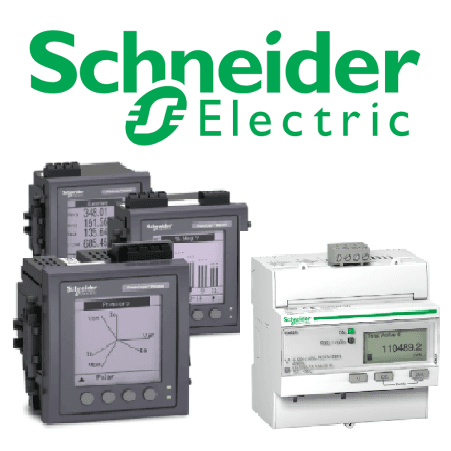
Schneider Energy Meter (3-phase) via Modbus RTU
Reads 3-phase energy and power data from Schneider Electric meters via Modbus RTU.
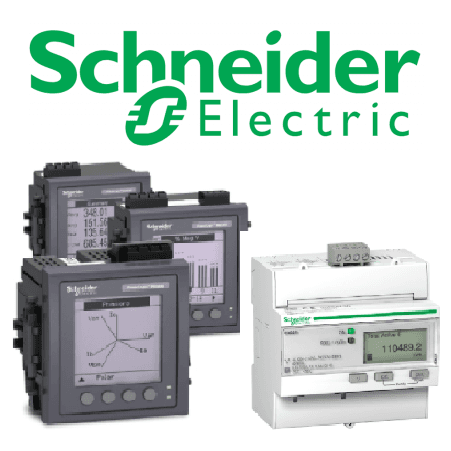
This template reads voltage, current, power, energy, and frequency data from Schneider Electric 3-phase energy meters via Modbus RTU. It supports multiple Schneider meter series including iEM2000, iEM3000, PM2000, PM5000, PM8000, and ION9000. All registers are read-only.
- Protocol
- Modbus RTU
- Connection
- RS485, 19200 baud
- Registers
- 24, read only
- Key readings
- Voltage A-N, B-N, C-N · Voltage A-B, B-C, C-A · Current A, B, C, N · Active, Reactive, Apparent Power · Energy Active/Reactive/Apparent Import/Export · Frequency
- Compatible models
- iEM2000 series · iEM3000 series · PM5000 series · PM8000 series · ION9000 series · PM2000 series
- Last updated
Registers (24)
24 read, 0 write
| Name | Unit | Access | Address (Hidden until you enter your email) | Function (hidden) | Type (hidden) |
|---|---|---|---|---|---|
| Product Identification | Read | ||||
| Current A | A | Read | |||
| Current B | A | Read | |||
| Current C | A | Read | |||
| Current N | A | Read | |||
| Voltage A-B | V | Read | |||
| Voltage B-C | V | Read | |||
| Voltage C-A | V | Read | |||
| Voltage A-N | V | Read | |||
| Voltage B-N | V | Read | |||
| Voltage C-N | V | Read | |||
| Active Power A | kW | Read | |||
| Active Power B | kW | Read | |||
| Active Power C | kW | Read | |||
| Active Power | W | Read | |||
| Reactive Power | VAR | Read | |||
| Apparent Power | Va | Read | |||
| Frequency | Hz | Read | |||
| Energy Active Total Import | kWh | Read | |||
| Energy Active Total Export | kWh | Read | |||
| Energy Reactive Total Import | kVARh | Read | |||
| Energy Reactive Total Export | kVARh | Read | |||
| Energy Apparent Total Export | kVAh | Read | |||
| Energy Apparent Total Import | kVAh | Read |
Loading registers…
Send your device list
If a device is not in the library yet, we build the template for free as soon as we have the register data.
Use cases
- Monitor real-time voltage, current, and power per phase on a live cloud dashboard for your customer.
- Track cumulative active and reactive energy import and export for billing verification purposes.
- Create an alert when phase voltage drops below a defined threshold for more than five minutes.
- Compare power consumption across multiple Schneider meters installed at different distribution boards.
- Generate weekly or monthly energy reports to identify consumption trends and peak demand periods.
- Detect neutral current anomalies that may indicate unbalanced loads in a three-phase installation.
Installation
Connect the Modbus RTU wiring (A, B, and GND) from the Schneider energy meter RS-485 port to the ModbusCloud Gateway.
On the Schneider meter, verify that Modbus RTU is enabled and set the baud rate to 19200 with odd parity, and assign a unique Modbus slave address.
In the ModbusCloud platform, add a new Modbus RTU connection on the gateway and configure it to 19200 baud, odd parity, and the correct slave address.
Import the Schneider Energy Meter (3-phase) template from the ModbusCloud template library and assign it to the configured connection.
Verify that live values for voltage, current, and power appear on the dashboard, and confirm that energy totals increment as expected.
Things to watch for
I see zero or null values for all registers. What should I check?
Confirm that the baud rate on the meter matches the gateway setting of 19200. Also verify that parity is set to odd on both sides. A mismatch in either parameter will prevent communication.
Why does total active power show a much larger number than per-phase active power?
Per-phase active power registers report values in kW, while the total active power register reports in W. This is a Schneider register convention. The template scales the values, but verify that the displayed units match expectations.
Can I use this template with a 1-phase Schneider meter?
This template is designed for 3-phase meters. A 1-phase Schneider meter may use different register addresses or may not expose all three phase registers. Check the meter documentation before applying this template.
Which Modbus slave address should I configure on the meter?
Any address between 1 and 247 is valid. Ensure each device on the same RS-485 bus has a unique address, and enter the same address in the ModbusCloud gateway connection settings.
Want to see how it works?
