








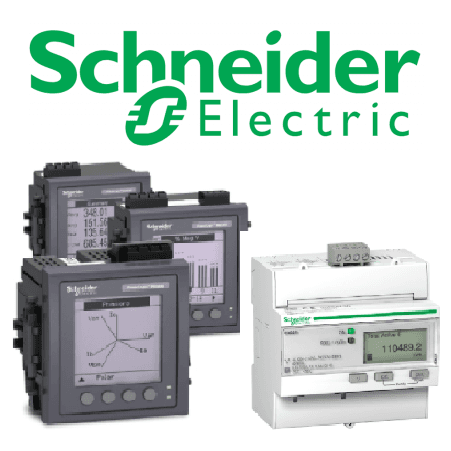
Schneider Energy Meter iEM2000-series (1-phase)
Reads single-phase energy metering data from Schneider iEM2000-series meters.
This template reads single-phase energy metering data from Schneider Electric iEM2000-series meters via Modbus TCP. It captures voltage, current, active/reactive/apparent power, frequency, and import/export energy counters. No control registers are included.
- Protocol
- Modbus TCP
- Connection
- Ethernet, Modbus TCP
- Registers
- 13, read only
- Key readings
- Current A · Voltage A-N · Active Power A · Reactive Power · Apparent Power · Frequency
- Compatible models
- iEM 2000 series
- Last updated
Registers (13)
13 read, 0 write
| Name | Unit | Access | Address (Hidden until you enter your email) | Function (hidden) | Type (hidden) |
|---|---|---|---|---|---|
| Product Identification | Read | ||||
| Current A | A | Read | |||
| Voltage A-N | V | Read | |||
| Active Power A | kW | Read | |||
| Reactive Power | VAR | Read | |||
| Apparent Power | Va | Read | |||
| Frequency | Hz | Read | |||
| Energy Active Total Import | kWh | Read | |||
| Energy Active Total Export | kWh | Read | |||
| Energy Reactive Total Import | kVARh | Read | |||
| Energy Reactive Total Export | kVARh | Read | |||
| Energy Apparent Total Export | kVAh | Read | |||
| Energy Apparent Total Import | kVAh | Read |
Loading registers…
Send your device list
If a device is not in the library yet, we build the template for free as soon as we have the register data.
Use cases
- Monitor real-time voltage, current, and power consumption of a single-phase circuit on a live dashboard.
- Track cumulative active energy import and export to verify solar self-consumption for residential customers.
- Create an alert when phase current exceeds a defined threshold to prevent overload situations.
- Generate monthly energy reports for tenant billing in multi-unit residential buildings.
- Compare reactive and apparent power readings to assess power factor and identify inefficient loads.
Installation
Mount the Schneider iEM2000-series meter on the DIN rail in the distribution board and connect the phase, neutral, and current measurement wiring according to the meter manual.
Connect the meter to the local network using an Ethernet cable and assign a static IP address via the meter configuration menu.
Enable Modbus TCP communication on the meter and note the configured TCP port and Modbus unit ID.
Connect your ModbusCloud Gateway to the same local network and ensure it can reach the meter IP address.
Import the Schneider iEM2000-series template in the ModbusCloud platform, enter the meter IP address, port, and unit ID, then start polling.
Verify that live readings for voltage, current, and power appear correctly on the ModbusCloud dashboard before closing the enclosure.
Things to watch for
Why do some energy counters show zero even though instantaneous power readings are correct?
Energy registers use uint64 data types at non-contiguous addresses. Confirm that your gateway firmware supports 64-bit register reads and that the correct register addresses (e.g., 3717 for apparent energy import) are mapped. A firmware update on the gateway may be needed.
What baud rate or TCP port should I use?
Since the iEM2000 series communicates via Modbus TCP, baud rate settings do not apply. The default TCP port is typically 502. Verify the port setting in the meter network configuration menu.
The power and voltage values look garbled or extremely large. What is wrong?
Power and voltage registers use float32 encoding with a specific byte order. Make sure the gateway is configured for the correct byte order (typically Big Endian). Swapping the word or byte order in the gateway settings usually resolves this.
Can I connect multiple iEM2000 meters to one ModbusCloud gateway?
Yes. Assign each meter a unique Modbus unit ID and IP address. Then create a separate device instance in ModbusCloud for each meter, using the same template but with the individual connection details.
Want to see how it works?
