









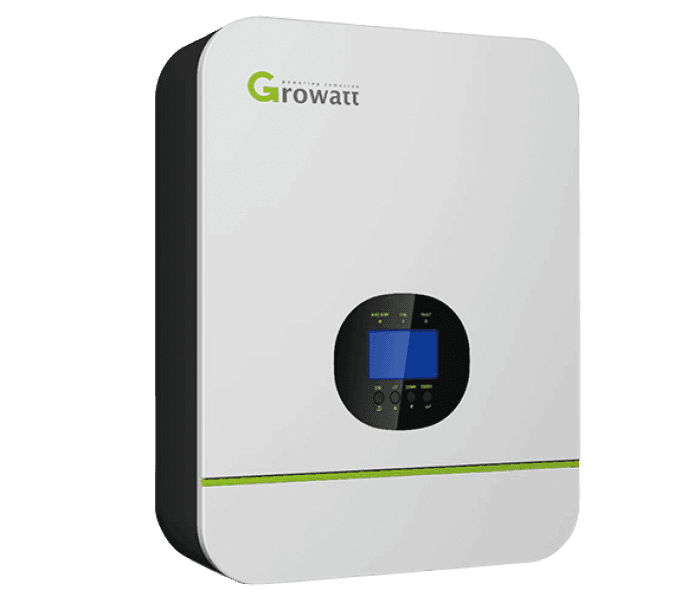
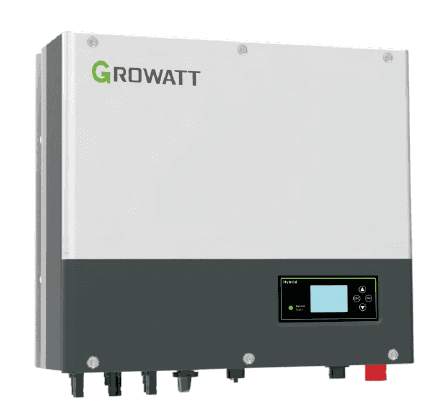
Growatt Hybrid Inverter (grid)
The Growatt Hybrid Inverter is a grid-tied hybrid PV inverter that combines solar generation, battery storage, and grid interaction in a single unit. This Modbus RTU template reads three input registers from the grid port: two instantaneous power readings (power_a and power_b) and a cumulative energy counter (energy). Together these registers give installers and asset managers a continuous view of power flow and total energy throughput at the grid connection point. Connecting the Growatt Hybrid Inverter to ModbusCloud Gateway takes under ten minutes and immediately populates dashboards with live grid data.
- Protocol
- Modbus RTU
- Connection
- RS485
- Registers
- 3, read only
- Brand
- Growatt
- Last updated
Registers (3)
3 read, 0 write
| Name | Unit | Access | Address (Hidden until you enter your email) | Function (hidden) | Type (hidden) |
|---|---|---|---|---|---|
| power_a | W | Read | |||
| power_b | W | Read | |||
| energy | Wh | Read |
Loading registers…
Send your device list
If a device is not in the library yet, we build the template for free as soon as we have the register data.
Use cases
- Monitor instantaneous grid import and export power to verify the inverter is operating within permitted feed-in limits.
- Track cumulative grid energy to calculate monthly settlement figures for net-metering or feed-in tariff billing.
- Alert on sustained high values in power_a or power_b to detect unexpected grid export during battery-full conditions.
- Compare power_a and power_b over time to identify asymmetric loading or imbalanced grid-port measurements.
- Verify that grid energy accumulation stops during a grid outage to confirm islanding protection is functioning correctly.
Installation
Enable Modbus RTU communication on the Growatt Hybrid Inverter: access the inverter's configuration menu, navigate to the communication or Modbus section, confirm the baud rate is set to 9600, no parity, and note the slave unit ID (default is 1).
Wire the RS485 port of the ModbusCloud Gateway to the inverter's RS485-1 terminal block: connect the Gateway's A line to the inverter A pin and the B line to the inverter B pin, keeping cable runs as short as practical and adding a 120-ohm termination resistor at the far end.
In the ModbusCloud portal, add a new device, select ModbusCloud Gateway as the data source, import the Growatt Hybrid Inverter (grid) template, and enter the unit ID that matches the inverter's configured slave address.
Spot-check the connection by reading the live value of power_a in the portal register view: the value should change in real time when load is switched on the AC side of the inverter, confirming successful communication.
Things to watch for
The gateway connects but power_a and power_b always read zero.
Zero values on both power registers usually mean the inverter is in standby or the grid port is idle. Confirm the inverter is in normal on-grid operating mode and that PV or load is active. If values remain zero under load, verify the unit ID in the portal matches the slave address shown in the inverter's communication menu.
Why do I get a Modbus exception or timeout on function code 4?
Growatt hybrid inverters require a minimum gap of 850 ms between consecutive Modbus commands. If your polling interval is shorter than this, the inverter will drop requests or return an exception. Set the ModbusCloud Gateway poll interval to at least 1 second for this device to avoid communication errors.
The energy register value looks too large or jumps unexpectedly after a restart.
The energy register is a 32-bit unsigned cumulative counter that persists across restarts. The raw value may be a scaled integer; check the inverter's display readout against the register value to confirm the expected scaling factor documented in the Growatt Protocol II specification. Do not reset or compare absolute values across different inverter units.
RS485 wiring is connected but the portal shows no data at all.
On Growatt SPH hybrid models, set the RS485 interface mode to VPP in the inverter configuration and use the RS485-1 port. Confirm A and B lines are not swapped: reversed polarity is the most common cause of silent failures. Also check that no other Modbus master is polling the same bus simultaneously, as bus contention will block all communication.
Want to see how it works?
