








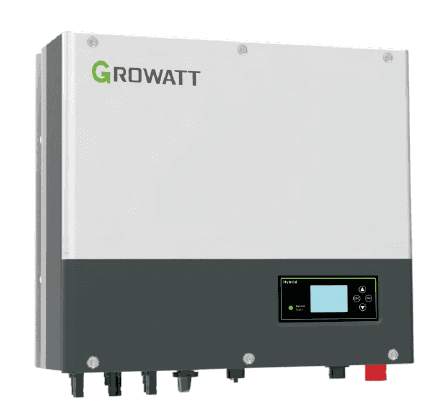
Growatt Inverter v2
Reads PV, battery, and grid energy data from Growatt SPH inverters via Modbus RS485.
This template connects Growatt SPH inverters to ModbusCloud via Modbus RTU (RS485). It reads 29 registers covering PV production, battery state of charge, grid exchange, and local load energy. All registers are read-only.
- Protocol
- Modbus RTU
- Connection
- RS485, 9600 baud
- Registers
- 29, read only
- Brand
- Growatt
- Key readings
- Output power and PV input power · Battery SOC and voltage · Charge and discharge power · Energy to grid and to user (today/total) · Inverter and battery temperature · EPS output power L1 to L3
- Compatible models
- Growatt SPH
- Last updated
Registers (29)
29 read, 0 write
| Name | Unit | Access | Address (Hidden until you enter your email) | Function (hidden) | Type (hidden) |
|---|---|---|---|---|---|
| Inverter status | Read | ||||
| Output power | kW | Read | |||
| PV energy today | kWh | Read | |||
| PV energy total | kWh | Read | |||
| Battery state of charge | % | Read | |||
| Input power from PV panels | kW | Read | |||
| Input power from PV string 1 | kW | Read | |||
| Input power from PV string 2 | kW | Read | |||
| Inverter temperature | °C | Read | |||
| Battery temperature | °C | Read | |||
| Energy to grid total | kWh | Read | |||
| Energy to grid today | kWh | Read | |||
| Battery voltage | V | Read | |||
| Charge power | kW | Read | |||
| Discharge power | kW | Read | |||
| Energy to user total | kWh | Read | |||
| Energy to user today | kWh | Read | |||
| Discharge energy today | kWh | Read | |||
| Discharge energy total | kWh | Read | |||
| Charge energy today | kWh | Read | |||
| Charge energy total | kWh | Read | |||
| Local load energy today | kWh | Read | |||
| Local load energy total | kWh | Read | |||
| AC power to user | kW | Read | |||
| AC power to grid | kW | Read | |||
| INV power to local load | kW | Read | |||
| EPS output power L1 | kVA | Read | |||
| EPS output power L2 | kVA | Read | |||
| EPS output power L3 | kVA | Read |
Loading registers…
Send your device list
If a device is not in the library yet, we build the template for free as soon as we have the register data.
Use cases
- Monitor real-time PV production and battery state of charge on a live cloud dashboard for your customer.
- Track daily and total energy exported to the grid to verify feed-in tariff revenues.
- Create an alert when battery SOC drops below a critical threshold during evening hours.
- Log inverter and battery temperatures over time to detect cooling issues or degradation trends.
- Combine with an energy meter template to build a full site energy flow overview in one project.
- Review EPS output power per phase to verify backup load distribution during grid outages.
Installation
Connect an RS485 twisted-pair cable from the 485-3 port on the Growatt SPH inverter to the RS485 terminal on your ModbusCloud Gateway.
Verify the Growatt inverter serial settings: 9600 bps baud rate, 1 stop bit, no parity.
Confirm the Modbus slave address on the inverter is set to 1 (factory default) or note the configured address.
In the ModbusCloud platform, add a new device and import the Growatt Inverter v2 template.
Set the Modbus address in ModbusCloud to match the address configured on the inverter.
Power on the gateway and verify that register values such as PV input power and battery SOC appear on the dashboard.
Things to watch for
Which port on the Growatt SPH inverter should I use for Modbus?
Use the 485-3 port. Other RS485 ports on the inverter may serve different protocols or monitoring dongles and can conflict with Modbus communication.
I see zero values for all registers. What should I check?
Verify that the baud rate is set to 9600, stop bits to 1, and parity to none, both on the inverter and in the ModbusCloud gateway configuration. Also confirm the correct Modbus slave address.
Can I use this template with non-SPH Growatt inverters?
This template is validated for the Growatt SPH series. Other models such as the MIN or MID series may use different register maps. Check the Growatt Modbus documentation for your specific model before using this template.
Are the energy total registers cumulative or daily?
The template includes both daily and cumulative total registers for grid export and user consumption energy. Daily values reset at midnight according to the inverter clock.

Want to see how it works?
