









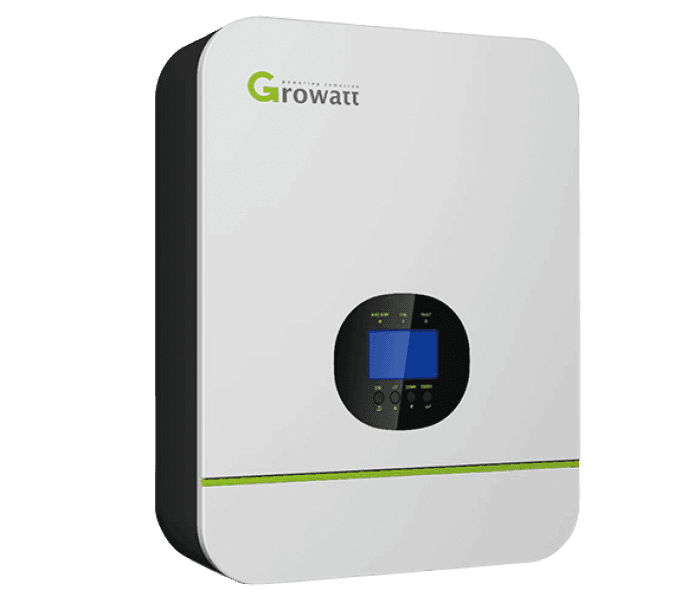
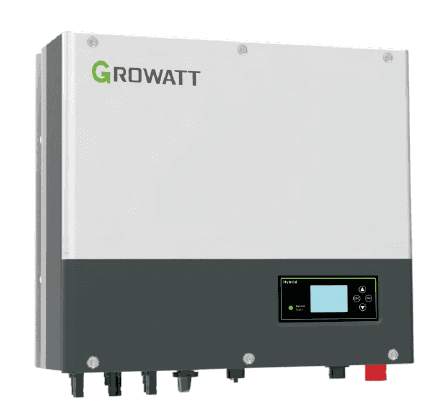
Growatt Hybrid Inverter (pv)
The Growatt Hybrid Inverter is a residential and light-commercial PV inverter that combines solar generation with battery storage management. This template reads the two core PV data points over Modbus RTU: instantaneous PV input power at register 1 and cumulative PV energy at register 91. Connecting these registers to the ModbusCloud portal gives installers and asset managers a live view of generation output and a running energy total, directly in the dashboard without additional hardware.
- Protocol
- Modbus RTU
- Connection
- RS485
- Registers
- 2, read only
- Brand
- Growatt
- Last updated
Registers (2)
2 read, 0 write
| Name | Unit | Access | Address (Hidden until you enter your email) | Function (hidden) | Type (hidden) |
|---|---|---|---|---|---|
| power | W | Read | |||
| energy | Wh | Read |
Loading registers…
Send your device list
If a device is not in the library yet, we build the template for free as soon as we have the register data.
Use cases
- Monitor instantaneous PV input power to verify the inverter is generating at expected levels during daylight hours.
- Track cumulative PV energy totals over days, weeks, and months to confirm system yield against commissioning estimates.
- Alert on a sudden drop in power during peak sun hours to detect panel shading, soiling, or inverter faults quickly.
- Compare daily energy totals across multiple Growatt Hybrid Inverter sites to identify underperforming installations.
- Report monthly PV energy generation to building owners or utility companies using historical data from the portal.
Installation
Enable Modbus RTU on the Growatt Hybrid Inverter by navigating to the communication or Modbus section of the inverter menu and confirming the slave address (default is 1) and baud rate (9600 bps, no parity, 1 stop bit).
Connect the inverter RS485 terminals (A and B) to the ModbusCloud Gateway RS485 port using a twisted-pair cable, keeping the run as short as practical and adding a 120-ohm termination resistor at the far end of the bus.
In the ModbusCloud portal, add the Gateway, import the Growatt Hybrid Inverter (pv) template, and assign the unit ID matching the slave address set on the inverter.
Verify the connection by checking the live readings for the power register in the portal during daylight; a non-zero value confirms communication is working correctly.
Things to watch for
The gateway connects but power and energy both read zero. Why?
A zero reading during daylight usually means the inverter is not in grid-connected generation mode, the slave address in the portal does not match the address set on the inverter, or the RS485 A and B wires are swapped. Confirm the inverter display shows active generation, check the unit ID, and verify polarity on the RS485 terminals.
Values appear but they seem far too high or too low. What is wrong?
Growatt input registers use a raw uint32 value that must be divided by the documented scaling factor to obtain engineering units. The template registers do not carry explicit unit labels, so confirm the scaling with the Growatt Modbus RTU Protocol II datasheet for your specific model. Misapplied scaling is the most common cause of out-of-range readings.
Communication fails intermittently or I get CRC errors. How do I fix this?
Growatt's RS485 protocol requires a minimum gap of 850 ms between successive commands. If the ModbusCloud Gateway poll interval is set shorter than this, the inverter will miss requests and return errors. Set the poll interval to at least 1 second. Also verify the cable length and termination resistor, as long or unterminated RS485 runs increase error rates.
The energy register value resets unexpectedly after a power cycle. Is that normal?
The cumulative energy register on Growatt inverters is stored in non-volatile memory, so it should survive a power cycle. If it resets, this may indicate a firmware issue on the inverter or a register address mismatch. Confirm you are polling address 91 with function code 4 and cross-check against the Growatt Modbus RTU Protocol II documentation for your firmware version.
Want to see how it works?
