








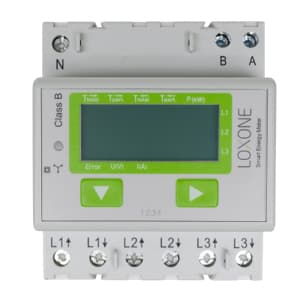
Loxone Modbus Electricity Meter (3 Phase)
Reads energy and power data from a 3-phase Modbus electricity meter.
This template reads a 3-phase Modbus electricity meter over Modbus RTU at 19200 baud. It captures total and partial energy consumption, energy feedback, per-phase voltage, current, active and reactive power, and cos phi values. No control registers are included.
- Protocol
- Modbus RTU
- Connection
- RS485, 19200 baud
- Registers
- 21, read only
- Brand
- Loxone
- Key readings
- Total energy consumption · Partial energy consumption · Total energy feedback · Voltage Phase 1 to 3 · Active and reactive power Phase 1 to 3 · Cos phi Phase 1 to 3
- Compatible models
- Modbus Electricity Meter (3 Phase)
- Last updated
Registers (21)
21 read, 0 write
| Name | Unit | Access | Address (Hidden until you enter your email) | Function (hidden) | Type (hidden) |
|---|---|---|---|---|---|
| Total energy consumption | kWh | Read | |||
| Partial energy consumption | kWh | Read | |||
| Total energy feedback | kWh | Read | |||
| Partial energy feedback | kWh | Read | |||
| Effective voltage of Phase 1 | V | Read | |||
| Effective current of Phase 1 | A | Read | |||
| Effective active power of Phase 1 | kW | Read | |||
| Effective reactive power of Phase 1 | kvar | Read | |||
| cos phi Phase 1 | Read | ||||
| Effective voltage of Phase 2 | V | Read | |||
| Effective current of Phase 2 | A | Read | |||
| Effective active power of Phase 2 | kW | Read | |||
| Effective reactive power of Phase 2 | kvar | Read | |||
| cos phi Phase 2 | Read | ||||
| Effective voltage of Phase 3 | V | Read | |||
| Effective current of Phase 3 | A | Read | |||
| Effective active power of Phase 3 | kW | Read | |||
| Effective reactive power of Phase 3 | kvar | Read | |||
| cos phi Phase 3 | Read | ||||
| Effective active power of all phases | kW | Read | |||
| Effective reactive power of all phases | kvar | Read |
Loading registers…
Send your device list
If a device is not in the library yet, we build the template for free as soon as we have the register data.
Use cases
- Monitor total and per-phase energy consumption on a live cloud dashboard for your customer.
- Create alerts when reactive power exceeds a threshold, indicating potential power factor issues.
- Track energy feedback to verify solar self-consumption and grid export figures remotely.
- Compare partial energy counters across billing periods without visiting the site.
- Log per-phase voltage and current to detect load imbalances in a three-phase installation.
- Use cos phi readings to advise customers on power factor correction measures.
Installation
Wire the Modbus Electricity Meter (3 Phase) to the RS-485 bus of your ModbusCloud Gateway, connecting A, B, and GND terminals correctly.
Set the meter baud rate to 19200 and parity to odd (1) using the meter configuration interface or DIP switches.
Assign a unique Modbus slave address on the meter and note it for template configuration.
Import the Modbus Electricity Meter (3 Phase) template in the ModbusCloud platform and set the slave address to match the meter.
Verify that energy registers are configured as uint32 and power registers as int16 in the template settings.
Power on the system and confirm live readings appear on the ModbusCloud dashboard for all three phases.
Things to watch for
I see zero or incorrect values for energy registers. What should I check?
Confirm that energy registers (total consumption, partial consumption, and feedback) are set to uint32 datatype spanning two registers each. Earlier template versions may have used a different datatype, which causes misreads.
The meter does not respond on the Modbus bus. What could be wrong?
Verify the baud rate is set to 19200 and parity to odd on both the meter and the gateway. Also check that the slave address matches and that the RS-485 A and B wires are not swapped.
Power readings show negative values. Is this normal?
Yes. Power registers use signed int16, so negative values indicate energy flowing in the reverse direction, such as feed-in from a solar inverter.
Can I use this template with Modbus TCP instead of RTU?
This meter communicates over Modbus RTU only. If your gateway supports RTU-to-TCP conversion, the template can still be used, but the physical connection must be RS-485.


Want to see how it works?
