








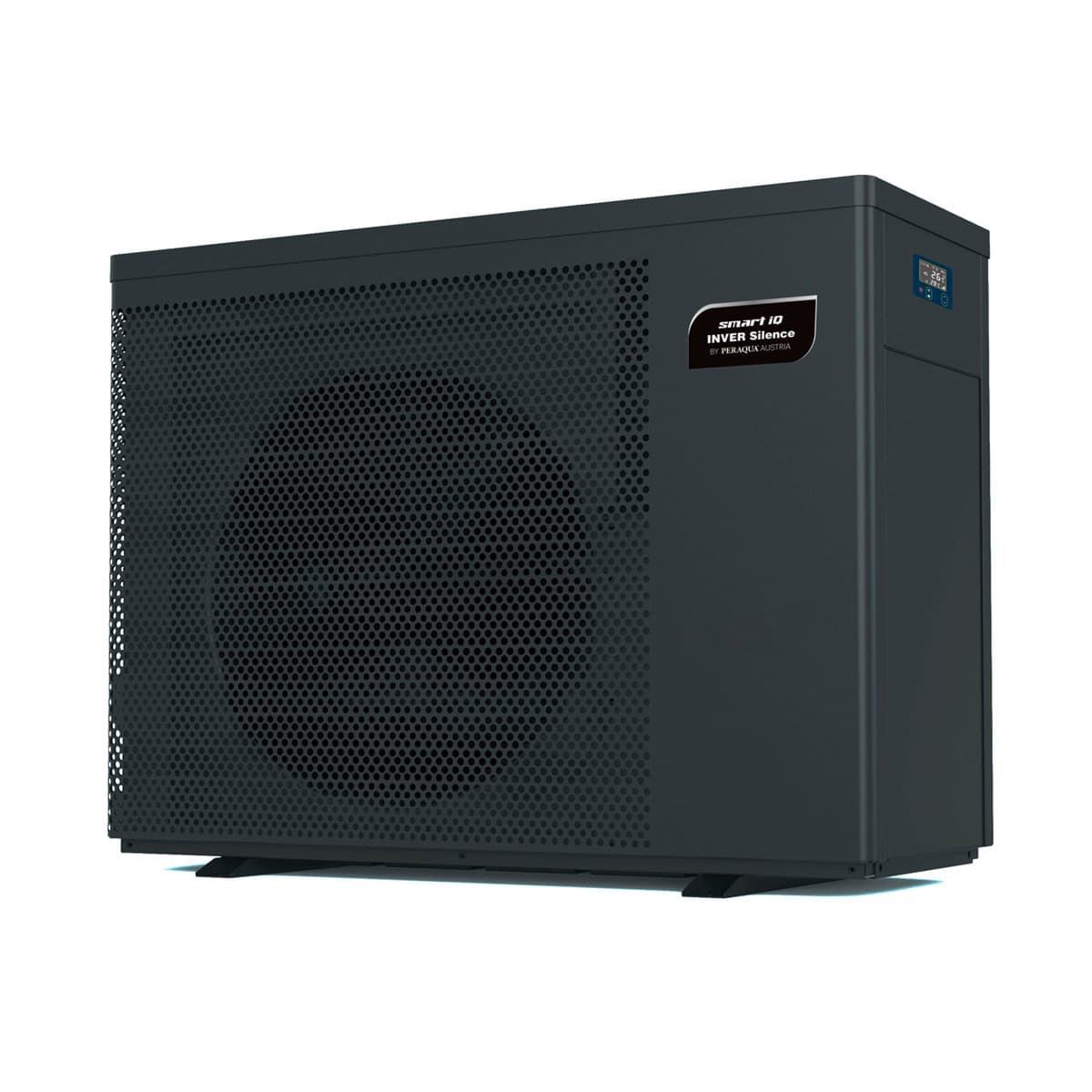
Smart Heat Pump iQ Inver Silence, Full Inverter Technology
Controls a full inverter pool heat pump via Modbus for automatic temperature regulation.
Template for the Smart Heat Pump iQ Inver Silence, a full inverter pool heat pump by Peraqua (Aquastar Air). It reads inlet and outlet water temperatures, compressor speed, defrost status, and error codes via Modbus RTU. It also controls power, operating mode, and temperature setpoints.
- Protocol
- Modbus RTU
- Connection
- RS485, 9600 baud
- Registers
- 52, read and write
- Brand
- Loxone
- Key readings
- Inlet water temperature · Water outlet temperature · Compressor speed percentage · Defrosting status · Mode selection 1 and 2 · Temp setting limits (auto, heating, cooling)
- Available commands
- Power on/off · Mode selection 1 and 2 · Temp setting (auto mode) · Temp setting (heating mode)
- Compatible models
- Aquastar Air
- Last updated
Registers (52)
52 read, 6 write
| Name | Unit | Access | Address (Hidden until you enter your email) | Function (hidden) | Type (hidden) |
|---|---|---|---|---|---|
| 0 Power | Read and write | ||||
| 304 Water outlet temperature(AIN2) | °C | Read and write | |||
| 200 mode selection 1 | Read and write | ||||
| 202 Temp setting under Auto mode | °C | Read and write | |||
| 204 Temp setting under Cooling mode | °C | Read | |||
| 300 Percentage of speed | % | Read | |||
| 203 Temp setting under Heating mode | °C | Read and write | |||
| 201 mode selection 2 | Read and write | ||||
| 315 Lower limit of setting temp of auto mode | °C | Read | |||
| 316 Upper limit of setting temp of auto mode | °C | Read | |||
| 317 Lower limit of setting temp of heating mode | °C | Read | |||
| 318 Upper limit of setting temp of heating mode | °C | Read | |||
| 319 Lower limit of setting temp of cooling mode | °C | Read | |||
| 320 Upper limit of setting temp of cooling mode | °C | Read | |||
| 12 Switch on_off | Read | ||||
| 11 Defrosting | Read | ||||
| 48 E0 | Read | ||||
| 49 E1 | Read | ||||
| 50 E2 | Read | ||||
| 51 E3 | Read | ||||
| 52 E4 | Read | ||||
| 53 E5 | Read | ||||
| 54 E6 | Read | ||||
| 55 E7 | Read | ||||
| 56 E8 | Read | ||||
| 57 E9 | Read | ||||
| 58 EA | Read | ||||
| 59 EB | Read | ||||
| 61 ED | Read | ||||
| 64 P0 | Read | ||||
| 65 P1 | Read | ||||
| 66 P2 | Read | ||||
| 67 P3 | Read | ||||
| 68 P4 | Read | ||||
| 69 P5 | Read | ||||
| 70 P6 | Read | ||||
| 71 P7 | Read | ||||
| 72 P8 | Read | ||||
| 73 P9 | Read | ||||
| 74 PA | Read | ||||
| 80 F0 | Read | ||||
| 81 F1 | Read | ||||
| 82 F2 | Read | ||||
| 83 F3 | Read | ||||
| 84 F4 | Read | ||||
| 85 F5 | Read | ||||
| 86 F6 | Read | ||||
| 87 F7 | Read | ||||
| 88 F8 | Read | ||||
| 89 F9 | Read | ||||
| 91 FB | Read | ||||
| 303 Inlet water temp | °C | Read |
Loading registers…
Send your device list
If a device is not in the library yet, we build the template for free as soon as we have the register data.
Use cases
- Monitor inlet and outlet water temperatures on a live cloud dashboard to verify heat pump performance remotely.
- Create an alert when a fault code is reported so you can respond before the pool owner notices a problem.
- Schedule power on and off commands to prevent the heat pump from running during expensive electricity tariff periods.
- Log compressor speed percentage over time to detect efficiency degradation or undersized equipment.
- Adjust heating mode temperature setpoints remotely when seasonal conditions change without a site visit.
- Track defrost cycles to identify potential airflow obstructions or low refrigerant charge early.
Installation
Obtain the special Modbus connection cable with 4-pole plug required by the Aquastar Air heat pump.
Wire the Modbus RTU connection cable from the heat pump to the RS485 terminal on your ModbusCloud Gateway, connecting A, B, and GND correctly.
Set the Modbus RTU baud rate to 9600 on the gateway to match the heat pump default configuration.
Confirm the Modbus slave address configured on the heat pump and enter the same address in the ModbusCloud gateway settings.
Import the Smart Heat Pump iQ Inver Silence template from the ModbusCloud template library and assign it to the correct gateway port.
Verify communication by checking that inlet water temperature and compressor speed values appear on the ModbusCloud dashboard.
Things to watch for
The gateway cannot communicate with the heat pump. What should I check first?
Verify that you are using the correct special Modbus connection cable with the 4-pole plug. Standard two-wire RS485 cables will not fit the heat pump connector. Also confirm that A, B, and GND are wired to the matching terminals on the gateway.
What baud rate does the heat pump use?
The default baud rate is 9600. Make sure the ModbusCloud gateway port is also configured to 9600 baud, 8 data bits, no parity, and 1 stop bit (8N1) unless the heat pump documentation specifies otherwise.
What are the E, P, and F registers in the template?
These registers map to internal configuration parameters and fault codes of the heat pump. E registers typically represent operational parameters, P registers cover protection or configuration settings, and F registers hold fault history. Refer to the Peraqua Aquastar Air Modbus documentation for detailed descriptions.
Can I control cooling mode temperature setpoints through this template?
The current template exposes control of temperature setpoints for automatic and heating modes. Cooling mode setpoint control is read-only in this template version. Check for template updates in the ModbusCloud library if additional write registers become available.

Want to see how it works?
