









Sunsynk 3p hybrid inverter (pv)
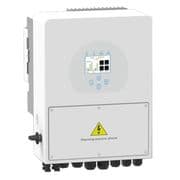
The Sunsynk 3p hybrid inverter is a three-phase solar hybrid inverter for residential and light-commercial grid-tied installations with battery storage. This ModbusCloud template connects via Modbus RTU over the inverter's RS485 port and reads four PV input power channels (power_a through power_d) alongside a cumulative energy yield counter. Monitoring these registers lets installers verify that each PV string is producing as expected and track total generation over time, without relying on the manufacturer's cloud service.
- Protocol
- Modbus RTU
- Connection
- RS485
- Registers
- 5, read only
- Brand
- Sunsynk
- Compatible models
- 3p hybrid inverter
- Last updated
Registers (5)
5 read, 0 write
| Name | Unit | Access | Address (Hidden until you enter your email) | Function (hidden) | Type (hidden) |
|---|---|---|---|---|---|
| power_a | W | Read | |||
| power_b | W | Read | |||
| power_c | W | Read | |||
| power_d | W | Read | |||
| energy | Read |
Loading registers…
Send your device list
If a device is not in the library yet, we build the template for free as soon as we have the register data.
Use cases
- Monitor per-string PV power (power_a to power_d) to detect shading or soiling on individual array sections.
- Track the cumulative energy register to verify monthly yield figures against inverter datasheet performance targets.
- Alert on unexpected drops in any single PV channel to identify a failed string before output loss becomes significant.
- Compare power_a through power_d values during peak irradiance hours to spot string-level imbalances across the array.
- Report daily generation trends from the energy register to support maintenance scheduling and customer reporting.
Installation
Enable Modbus on the Sunsynk 3p hybrid inverter by navigating to Advanced Settings, then Multi-Inverter on the display, and note the Modbus SN (unit ID), which defaults to 1.
Connect the RS485 A and B terminals on the inverter to the ModbusCloud Gateway using a twisted-pair cable such as CAT5; keep the run under the maximum recommended cable length and do not add an external termination resistor unless required.
In the ModbusCloud portal, add your Gateway, create a new device, import the Sunsynk 3p hybrid inverter (pv) template, and set the unit ID to match the Modbus SN configured on the inverter.
Verify the connection by checking live readings for power_a and power_b during daylight hours; non-zero values confirm the RS485 link and register addressing are correct.
Things to watch for
All four power channels read zero even during daytime. Why?
Confirm the RS485 wiring polarity: A and B lines must not be swapped. Also verify the unit ID in the portal matches the Modbus SN set on the inverter display under Advanced Settings. A mismatch causes the gateway to address the wrong device and return no data.
Readings are intermittent or corrupted. What should I check?
Remove any external 120-ohm termination resistor on the RS485 adapter if one is fitted. The idle voltage between A and B on the Sunsynk RS485 port should be around 4 to 5 V with nothing connected. A heavily loaded bus causes framing errors and garbage values.
The energy counter value looks too large or resets unexpectedly. Is this normal?
The energy register is a uint32 counter and will roll over to zero once it exceeds the maximum 32-bit value. Log the raw value regularly and apply rollover detection in your dashboard if you need accurate long-term totals. Do not assume a sudden drop to zero indicates a hardware fault.
The gateway connects but power_c and power_d always read zero at night. Is something wrong?
Zero readings on PV power channels at night are normal: the inverter reports zero watts when there is no irradiance on those strings. Confirm readings during daylight. If channels remain at zero in full sun, check whether those string inputs are physically connected and active on your installation.
Want to see how it works?
