








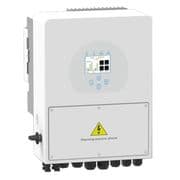
Sunsynk 8kW ECCO Hybrid Inverter
Monitors and controls a Sunsynk 8kW ECCO single-phase hybrid inverter via Modbus TCP.
Modbus TCP template for the Sunsynk 8kW ECCO single-phase hybrid inverter. Reads 135 registers covering PV generation, battery status, grid import/export, load data, and inverter temperatures. Writes 37 registers for work mode, charge limits, timer schedules, and grid charge settings.
- Protocol
- Modbus TCP
- Connection
- Ethernet, Modbus TCP
- Registers
- 135, read and write
- Brand
- Sunsynk
- Key readings
- Battery SOC and voltage · PV generation today/month/year · Grid import and export power · Inverter output power and load · MPPT1 and MPPT2 voltage/current · DC, IGBT, and battery temperatures
- Available commands
- Work mode and energy management · Max charge/discharge amps · Timer 1 to 6 start, power, and SOC · Battery shutdown/low/restart percent
- Compatible models
- 8kW Single Phase ECCO Hybrid Inverter
- Last updated
Registers (135)
135 read, 37 write
| Name | Unit | Access | Address (Hidden until you enter your email) | Function (hidden) | Type (hidden) |
|---|---|---|---|---|---|
| 001-Modbus_Address | Read | ||||
| 011-System_Firmware_Version | Read | ||||
| 013-Main_Firmware_Version | Read | ||||
| 014-Comms_Firmware_Version | Read | ||||
| 020-Remote_Control | Read | ||||
| 022-System_Time_Year/Month | Read | ||||
| 023-System_Time_Day/Hour | Read | ||||
| 024-System_Time_Minute/Second | Read | ||||
| 036-Grid_Import_Power_Limit | W | Read | |||
| 053-Max_Solar_Power | W | Read | |||
| 059-Inverter_Status | Read | ||||
| 065-PV_Generation_Month | kWh | Read | |||
| 066-Load_Month | kWh | Read | |||
| 067-Grid_Month | kWh | Read | |||
| 068-PV_Generation_Year_LowByte | kWh | Read | |||
| 069-PV_Generation_Year_HighByte | kWh | Read | |||
| 070-Battery_Charge_Today | kWh | Read | |||
| 071-Battery_Discharge_Today | kWh | Read | |||
| 072-Battery_Charge_Total_LowByte | kWh | Read | |||
| 073-Battery_Charge_Total_HighByte | kWh | Read | |||
| 074-Battery_Discharge_Total_LowByte | kWh | Read | |||
| 075-Battery_Discharge_Total_HighByte | kWh | Read | |||
| 076-Grid_Import_Today | kWh | Read | |||
| 077-Grid_Export_Today | kWh | Read | |||
| 078-Grid_Import_Total_LowByte | kWh | Read | |||
| 080-Grid_Import_Total_HighByte | kWh | Read | |||
| 081-Grid_Export_Total_LowByte | kWh | Read | |||
| 082-Grid_Export_Total_HighByte | kWh | Read | |||
| 084-Load_Today | kWh | Read | |||
| 085-Load_Total_LowByte | kWh | Read | |||
| 086-Load_Total_HighByte | kWh | Read | |||
| 087-Load_Year_LowByte | kWh | Read | |||
| 088-Load_Year_HighByte | kWh | Read | |||
| 090-DC_Temp | °C | Read | |||
| 091-IGBT_Temp | °C | Read | |||
| 096-PV_Generation_Total_LowByte | kWh | Read | |||
| 097-PV_Generation_Total_HighByte | kWh | Read | |||
| 098-Grid_Export_Year_LowByte | kWh | Read | |||
| 099-Grid_Export_Year_HighByte | kWh | Read | |||
| 107-Battery_Capacity_(see204) | Ah | Read | |||
| 108-PV_Generation_Today | kWh | Read | |||
| 109-MPPT1_Voltage | V | Read | |||
| 110-MPPT1_Current | A | Read | |||
| 111-MPPT2_Voltage | V | Read | |||
| 112-MPPT2_Current | A | Read | |||
| 150-Grid_Voltage | V | Read | |||
| 154-Inverter_Output_Voltage | V | Read | |||
| 157-Inverter_Load_Voltage | V | Read | |||
| 160-Grid_Current | A | Read | |||
| 162-Grid_External_Limiter_Current | A | Read | |||
| 164-Inverter_Output_Current | A | Read | |||
| 167-Grid_Load_Power | kW | Read | |||
| 169-Grid_Import/Export | kW | Read | |||
| 170-Grid_External_CT_Power | W | Read | |||
| 173-Inverter_Output_Power | W | Read | |||
| 176-Inverter_Load_Output | W | Read | |||
| 179-Inverter_Load_Current | A | Read | |||
| 182-Battery_Temp | °C | Read | |||
| 183-Battery_Voltage | V | Read | |||
| 184-Battery_SOC% | % | Read | |||
| 186-MPPT1_Power | kW | Read | |||
| 187-MPPT2_Power | kW | Read | |||
| 190-Battery_Power | kW | Read | |||
| 191-Battery_Current | A | Read | |||
| 194-Grid_Connection | Read | ||||
| 200-Battery_Type | Read | ||||
| 201-Equalisation_Voltage | V | Read | |||
| 202-Absorbtion_Voltage | V | Read | |||
| 203-Float_Voltage | V | Read | |||
| 204-Battery_Capacity_(see107) | Ah | Read | |||
| 205-Battery_Empty_Voltage | V | Read | |||
| 206-Grid_Trickle_Feed | W | Read and write | |||
| 207-Equalisation_Day_Cycle | d | Read | |||
| 208-Equalisation_Time | h | Read | |||
| 210-Max_Charge_Amps | A | Read and write | |||
| 211-Max_Discharge_Amps | A | Read and write | |||
| 213-Battery_Settings_(use SOC or V?) | Read | ||||
| 214-Battery_Activation_Flag | Read | ||||
| 216-Battery_Charging_Efficiency | % | Read | |||
| 217-Battery_Shutdown_Percent | % | Read and write | |||
| 218-Battery_Restart_Percent | % | Read and write | |||
| 219-Battery_Low_Percent | % | Read and write | |||
| 220-Battery_Shutdown_Voltage | V | Read | |||
| 221-Battery_Restart_Voltage | V | Read | |||
| 222-Battery_Low_Voltage | V | Read | |||
| 230-Grid_Charge_Amps | A | Read and write | |||
| 232-Grid_Charge | Read and write | ||||
| 243-Energy_Management | Read and write | ||||
| 244-Work_Mode | Read and write | ||||
| 245-Inverter_Max_Sell_Power | W | Read and write | |||
| 247-Solar_Export | Read and write | ||||
| 248-Use_Timer | Read and write | ||||
| 250-Timer_1_Start | <3v> | Read and write | |||
| 251-Timer_2_Start | Read and write | ||||
| 252-Timer_3_Start | Read and write | ||||
| 253-Timer_4_Start | Read and write | ||||
| 254-Timer_5_Start | Read and write | ||||
| 255-Timer_6_Start | Read and write | ||||
| 256-Timer_1_Power | W | Read and write | |||
| 257-Timer_2_Power | W | Read and write | |||
| 258-Timer_3_Power | W | Read and write | |||
| 259-Timer_4_Power | W | Read and write | |||
| 260-Timer_5_Power | W | Read and write | |||
| 261-Timer_6_Power | W | Read and write | |||
| 262-Timer_1_Battery_Voltage | V | Read | |||
| 263-Timer_2_Battery_Voltage | V | Read | |||
| 264-Timer_3_Battery_Voltage | V | Read | |||
| 265-Timer_4_Battery_Voltage | V | Read | |||
| 266-Timer_5_Battery_Voltage | V | Read | |||
| 267-Timer_6_Battery_Voltage | V | Read | |||
| 268-Timer_1_SOC | % | Read and write | |||
| 269-Timer_2_SOC | % | Read and write | |||
| 270-Timer_3_SOC | % | Read and write | |||
| 271-Timer_4_SOC | % | Read and write | |||
| 272-Timer_5_SOC | % | Read and write | |||
| 273-Timer_6_SOC | % | Read and write | |||
| 274-Timer_1_Grid_Charge | Read and write | ||||
| 275-Timer_2_Grid_Charge | Read and write | ||||
| 276-Timer_3_Grid_Charge | Read and write | ||||
| 277-Timer_4_Grid_Charge | Read and write | ||||
| 278-Timer_5_Grid_Charge | Read and write | ||||
| 279-Timer_6_Grid_Charge | Read and write | ||||
| 280-Advance_Aux_Settings | Read | ||||
| 293-Grid_Peak_Shaving_Power | W | Read | |||
| 312-BMS_Charge_Voltage | V | Read | |||
| 314-BMS_Charge_Current_Limit | A | Read | |||
| 315-BMS_Discharge_Current_Limit | A | Read | |||
| 316-BMS_SOC | % | Read | |||
| 317-BMS_Battery_Voltage | V | Read | |||
| 318-BMS_Battery_Current | A | Read | |||
| 319-BMS_Battery_Temp | °C | Read | |||
| 325-BMS_Protocol | Read | ||||
| 326-External_Meter_CT | Read | ||||
| 327-CT_Ratio | Read | ||||
| 330-Basic_Settings | Read |
Loading registers…
Send your device list
If a device is not in the library yet, we build the template for free as soon as we have the register data.
Use cases
- Monitor real-time PV generation and battery state of charge on a cloud dashboard for residential solar customers.
- Create alerts when battery SOC drops below a configurable threshold to prevent unexpected shutdowns.
- Adjust maximum charge and discharge current remotely to optimize battery longevity during seasonal changes.
- Configure timer schedules for grid charging during off-peak tariff windows without visiting the site.
- Track grid import and export totals over time to generate monthly energy reports for end customers.
- Log inverter temperatures and trigger notifications if DC or IGBT temperatures exceed safe operating limits.
Installation
Connect the ModbusCloud Gateway to the same local network as the Sunsynk 8kW ECCO inverter, ensuring both devices can communicate over TCP.
Enable Modbus TCP on the Sunsynk inverter via its local interface or configuration menu, and note the IP address and port number (typically port 502).
In the ModbusCloud platform, add a new device connection using the inverter IP address, port, and Modbus slave ID configured on the inverter.
Import the Sunsynk 8kW ECCO template (or the appropriate subset template A, B, C, or D) from the ModbusCloud template library.
Remove any registers you do not need to minimize polling frequency and reduce unnecessary data traffic on the gateway.
Verify live data appears on the ModbusCloud dashboard, and confirm that write commands (if used) produce the expected changes on the inverter.
Things to watch for
Why do some energy totals like PV Generation Year or Grid Import Total show incorrect values?
These registers use low-byte and high-byte pairs that must be combined to form the correct value. Check that your template is configured to merge both registers. The register mapping notes in the template indicate which pairs need combining.
Can I safely write to all 37 writable registers?
Writing to registers has been tested but may not always produce the expected result. Exercise caution with registers that control critical functions such as battery shutdown percentages or work mode. Test each write command individually before automating.
Which subset template should I use?
Use Subset A if you only need basic energy flow data. Use Subset B for detailed read-only monitoring. Use Subset C for full read and write control. Use Subset D if you need a broader set of read/write registers in sensor-only format. Most installations only require one or two subsets.
What baud rate or TCP port does the Sunsynk 8kW ECCO use for Modbus?
The inverter communicates over Modbus TCP, typically on port 502. Confirm the port and slave ID in the inverter settings before configuring the gateway connection.

Want to see how it works?
