









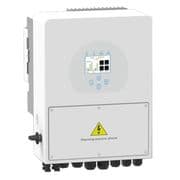
Sunsynk Storage (hybrid) inverter (pv)
The Sunsynk Storage (hybrid) inverter is a hybrid solar inverter combining PV generation, battery storage, and grid connection in a single unit for residential and light commercial sites. This Modbus RTU template reads four independent PV string power registers (power_a through power_d) covering all MPPT inputs, plus a 32-bit cumulative energy counter. With per-string power data visible in real time alongside lifetime generation totals, you can verify array balance, track yield, and detect underperforming strings without leaving the ModbusCloud portal.
- Protocol
- Modbus RTU
- Connection
- RS485
- Registers
- 5, read only
- Brand
- Sunsynk
- Compatible models
- Storage (hybrid) inverter
- Last updated
Registers (5)
5 read, 0 write
| Name | Unit | Access | Address (Hidden until you enter your email) | Function (hidden) | Type (hidden) |
|---|---|---|---|---|---|
| power_a | W | Read | |||
| power_b | W | Read | |||
| power_c | W | Read | |||
| power_d | W | Read | |||
| energy | Read |
Loading registers…
Send your device list
If a device is not in the library yet, we build the template for free as soon as we have the register data.
Use cases
- Monitor each Sunsynk PV string independently to detect shading or soiling on individual MPPT inputs.
- Compare power_a through power_d in real time to verify balanced array output across multiple roof orientations.
- Track the cumulative energy register over months to verify actual yield against installer projections.
- Alert on a sudden drop in any single PV string to identify a failed module or connector fault quickly.
- Report daily and seasonal PV generation trends to building owners for energy performance documentation.
Installation
Enable Modbus on the Sunsynk inverter by navigating to Advanced Settings, then Multi-Inverter, and confirming the Modbus SN (unit ID) is set to 1 or your chosen address.
Wire the ModbusCloud Gateway to the inverter RS485 port using a twisted-pair cable (CAT5e or CAT6); connect the A and B lines to the corresponding terminals and ensure a shared ground is present.
In the ModbusCloud portal, add the Gateway, import the Sunsynk Storage (hybrid) inverter (pv) template, and assign the unit ID that matches the Modbus SN configured on the inverter.
Spot-check register 186 (power_a) in the live data view during daylight hours to confirm a non-zero watt reading, verifying the RS485 connection and unit ID are correct.
Things to watch for
All four PV power registers read zero even in sunlight. Why?
First confirm the inverter is producing power via its front panel display. Then check that the Modbus SN on the inverter matches the unit ID set in the portal. A firmware update can silently reset the Modbus SN to zero; reset it to your original value and restart the inverter.
The gateway connects but intermittently loses readings. What should I check?
RS485 adapter termination is the most common cause. If your adapter includes a 120-ohm termination resistor, try removing it. Also verify the A/B idle voltage on the RS485 bus sits around 4 to 5 V with nothing actively transmitting. Use a twisted pair and keep cable runs as short as practical during commissioning.
power_a reads a valid value but power_b through power_d show zero. Is that a register problem?
No. Registers 187, 188, and 189 return zero watts when no PV string is connected to those MPPT inputs. If strings are wired but those registers still read zero in full sun, check the physical DC string connections and confirm those MPPT inputs are enabled in the inverter settings.
The energy counter resets unexpectedly after an inverter power cycle. What is happening?
Register 96 is a cumulative counter stored in the inverter. Certain firmware versions may reset this value after a full power cycle or factory reset. Record the last known value before any maintenance and reconcile it in your portal historical data after the event.
Want to see how it works?
