









Sunsynk Micro inverter (pv)
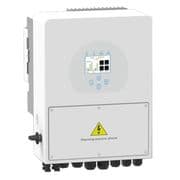
The Sunsynk Micro inverter is a single-phase, grid-tied PV inverter designed for straightforward residential solar installations, supporting up to four solar panels per unit. This ModbusCloud template communicates via Modbus RTU over an RS485 serial connection and reads two core registers from the Micro inverter: instantaneous output power and cumulative energy generation. With these values flowing into your ModbusCloud portal, you can track real-time PV yield and total production history across one or more units from a single interface.
- Protocol
- Modbus RTU
- Connection
- RS485
- Registers
- 2, read only
- Brand
- Sunsynk
- Compatible models
- Micro inverter
- Last updated
Registers (2)
2 read, 0 write
| Name | Unit | Access | Address (Hidden until you enter your email) | Function (hidden) | Type (hidden) |
|---|---|---|---|---|---|
| power | W | Read | |||
| energy | Wh | Read |
Loading registers…
Send your device list
If a device is not in the library yet, we build the template for free as soon as we have the register data.
Use cases
- Monitor instantaneous output power to verify the Micro inverter is producing during daylight hours.
- Track cumulative energy generation daily to confirm expected PV yield against forecast irradiance data.
- Alert on zero power readings during daytime to detect a tripped or disconnected Micro inverter promptly.
- Compare energy totals across multiple Micro inverter units on the same site to spot underperforming strings.
- Report monthly energy generation figures from the Micro inverter for tenant billing or incentive scheme documentation.
Installation
Enable Modbus RTU communication on the Sunsynk Micro inverter under the communication or Modbus settings section, and note the configured Modbus unit ID (typically 1).
Wire the RS485 A and B terminals of the Micro inverter to the RS485 port on the ModbusCloud Gateway using a twisted-pair cable, keeping the run as short as practical.
In your ModbusCloud portal, add the Gateway, import the Sunsynk Micro inverter (pv) template, and assign the correct Modbus unit ID matching the inverter setting.
Trigger a manual poll in the portal and spot-check the power register value against the inverter's local display to confirm the connection is live and reading correctly.
Things to watch for
The gateway connects but all register values show zero.
Confirm the inverter is producing power and the sun is up. A zero power reading at night is expected. If zeros persist during daylight, verify that Modbus RTU is enabled in the inverter's communication settings and that the Modbus unit ID in the portal matches the inverter's configured address.
Readings are inconsistent or corrupted on the RS485 bus.
Check that the A and B wires are not swapped. A 120-ohm termination resistor between A and B is sometimes required, but if your adapter already has one built in, a second resistor will cause signal corruption. Measure the idle DC voltage between A and B: it should sit around 4 to 5 V with no load.
The energy value appears to reset or jump unexpectedly.
Register 63 is a uint32 cumulative counter. A sudden drop to a low value typically indicates the inverter's internal counter rolled over or the inverter was reset. Log the raw values in the portal over time to detect rollover events and compensate in your reporting rules.
Communication fails after adding a second Micro inverter to the RS485 bus.
Each Micro inverter must have a unique Modbus unit ID. If two devices share the same ID, responses will collide and reads will fail. Access each inverter's communication settings separately, assign distinct IDs, and update each device entry in the portal accordingly.
Want to see how it works?
