









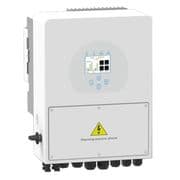
Sunsynk String inverter (pv)
The Sunsynk String inverter is a grid-tied PV inverter that converts DC power from solar panel strings into AC power for on-site use or grid export. This ModbusCloud template communicates over Modbus RTU via the inverter's RS485 port and reads two key registers: instantaneous output power (address 86) and cumulative energy generation (address 63). Connecting the Sunsynk String inverter to ModbusCloud lets installers and asset managers track live PV yield and total production from a central portal without manual data collection.
- Protocol
- Modbus RTU
- Connection
- RS485
- Registers
- 2, read only
- Brand
- Sunsynk
- Compatible models
- String inverter
- Last updated
Registers (2)
2 read, 0 write
| Name | Unit | Access | Address (Hidden until you enter your email) | Function (hidden) | Type (hidden) |
|---|---|---|---|---|---|
| power | W | Read | |||
| energy | Wh | Read |
Loading registers…
Send your device list
If a device is not in the library yet, we build the template for free as soon as we have the register data.
Use cases
- Monitor instantaneous PV output power to verify the string inverter is producing at expected levels.
- Track cumulative energy generation over time to report on solar yield per billing period.
- Alert on a sudden drop in output power during daylight hours to detect string faults or shading issues.
- Compare daily energy totals across multiple sites running Sunsynk String inverters in your portal.
- Verify that the string inverter resumes production correctly after a grid outage or maintenance window.
Installation
Enable Modbus RTU on the Sunsynk String inverter by navigating to the communication or advanced settings menu on the inverter display and confirming the RS485 baud rate is set to 9600 bps.
Wire the inverter's RS485 A and B terminals to the ModbusCloud Gateway using a twisted-pair cable, keeping cable runs as short as practical and adding a 120-ohm termination resistor at the last device on the bus if the bus has multiple nodes.
In the ModbusCloud portal, add the Gateway, then import the Sunsynk String inverter (pv) template and assign the correct Modbus unit ID matching the address configured on the inverter under Advanced Settings.
Spot-check the connection by confirming that register 86 (power) returns a non-zero value during daylight hours and that register 63 (energy) shows a plausible cumulative total.
Things to watch for
Register 86 always reads zero even in daylight. Why?
Confirm the inverter is actively generating and not in standby or fault state. Check that the Modbus unit ID in the portal matches the address set under Advanced Settings on the inverter. Also verify the RS485 A/B polarity is not swapped, as reversed wiring produces no response rather than an error.
The Gateway connects but both registers return no data.
On some Sunsynk firmware versions, Modbus data is not accessible until the firmware is updated. Check the inverter's communication CPU firmware version and update if necessary. Also confirm the baud rate is 9600 bps on both the inverter and the Gateway configuration, as a mismatch causes silent read failures.
Register 63 energy value looks unexpectedly high or resets to zero.
Register 63 holds a uint32 cumulative counter. If the inverter firmware was reset or the unit was replaced, the counter restarts from zero. The ModbusCloud portal records each reading with a timestamp, so a counter reset appears as a sudden drop. Use the historical chart to identify and account for any resets in your yield reporting.
RS485 communication drops intermittently on a multi-inverter bus.
Sunsynk inverters on a shared RS485 bus each require a unique Modbus address. Duplicate addresses cause bus collisions. Additionally, avoid using a straight-through CAT5 cable if CAN-bus and RS485 share the same RJ45 port, as pins can short together. Use only the required RS485 pins (7 and 8) and verify termination at both ends of the bus.
Want to see how it works?
