









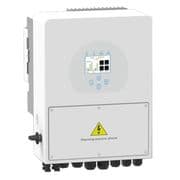
Sunsynk Storage (hybrid) inverter (battery)
The Sunsynk Storage (hybrid) inverter is a residential and commercial hybrid inverter that integrates solar PV, battery storage, grid, and load management in a single unit. This ModbusCloud template reads the battery subsystem over Modbus RTU, collecting battery power flow, cumulative energy throughput, and state of charge. With these three registers polled continuously, operators can track real-time charge and discharge activity, spot capacity trends over time, and feed battery data into site-level dashboards without relying on proprietary cloud connectors.
- Protocol
- Modbus RTU
- Connection
- RS485
- Registers
- 3, read only
- Brand
- Sunsynk
- Compatible models
- Storage (hybrid) inverter
- Last updated
Registers (3)
3 read, 0 write
| Name | Unit | Access | Address (Hidden until you enter your email) | Function (hidden) | Type (hidden) |
|---|---|---|---|---|---|
| power | W | Read | |||
| energy | Wh | Read | |||
| soc | % | Read |
Loading registers…
Send your device list
If a device is not in the library yet, we build the template for free as soon as we have the register data.
Use cases
- Monitor battery state of charge in real time to verify the Sunsynk inverter is cycling within configured depth-of-discharge limits.
- Track cumulative battery energy throughput over months to detect early signs of capacity fade.
- Alert on sustained negative battery power values indicating prolonged grid charging outside scheduled time slots.
- Compare daily battery power profiles across multiple Sunsynk sites to identify outlying systems.
- Report battery discharge energy to building owners as part of monthly energy cost-saving summaries.
Installation
Enable Modbus on the Sunsynk inverter: navigate to Advanced Settings, then Multi-Inverter, and set a non-zero Modbus Server ID (unit ID), noting that a firmware update can reset this value to zero.
Connect the ModbusCloud Gateway to the inverter RS-485 port using a twisted-pair cable (CAT5 or better), wiring A to A and B to B. If the port is shared with a battery BMS using CAN, split the cable to isolate the RS-485 pair.
In the ModbusCloud portal, add the Gateway, import the Sunsynk Storage (hybrid) inverter (battery) template, and set the unit ID to match the Modbus Server ID configured on the inverter.
Verify the connection by checking live readings for the soc register (address 184): a value between 0 and 100 confirms polling is working correctly.
Things to watch for
The gateway connects but all register values read zero or time out.
Check that the Modbus Server ID on the inverter under Advanced Settings / Multi-Inverter is not zero. A firmware update can silently reset this to zero. Set it to 1 (or your chosen ID), save, and ensure the unit ID in the ModbusCloud portal matches exactly.
Values appear but are noisy or corrupt. What causes this?
RS-485 signal integrity issues are the most common cause. If your RS-485 adapter includes a 120-ohm termination resistor, try removing it: the Sunsynk inverter's RS-485 port already biases the line and an additional terminator can degrade the signal. Use a twisted-pair cable and avoid running it parallel to AC or DC power cables.
The RS-485 port is occupied by the battery BMS. Can I still connect?
Newer Sunsynk inverters combine RS-485 and CAN-BUS on a single RJ45 port. If your battery communicates over CAN on that port, you need to split the RJ45 cable and extract only the RS-485 pair (pins vary by model). Connect the isolated RS-485 pair to the ModbusCloud Gateway without disturbing the CAN lines.
The battery power register reads negative when I expect charging. Is this correct?
Yes. Register 190 (battery power) uses a sign convention where negative values indicate charging and positive values indicate discharging. The raw int16 value has a scaling factor of -1 applied in the official Sunsynk sensor definitions, so the sign seen in the portal reflects actual energy direction correctly.
Want to see how it works?
