









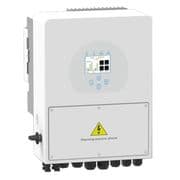
Sunsynk Storage (hybrid) inverter (grid)
The Sunsynk Storage (hybrid) inverter is a bidirectional hybrid inverter used in residential and light-commercial solar-plus-storage installations. The ModbusCloud template reads the grid interface via Modbus RTU over RS-485, capturing real-time AC grid power at register 169 and the two cumulative grid energy counters at registers 78 and 80. Register 169 reports signed watts, so a single value reveals both import and export direction. Together the three registers let you track live grid power flow and long-term energy throughput without any additional metering hardware.
- Protocol
- Modbus RTU
- Connection
- RS485
- Registers
- 3, read only
- Brand
- Sunsynk
- Compatible models
- Storage (hybrid) inverter
- Last updated
Registers (3)
3 read, 0 write
| Name | Unit | Access | Address (Hidden until you enter your email) | Function (hidden) | Type (hidden) |
|---|---|---|---|---|---|
| power | W | Read | |||
| energy_a | Read | ||||
| energy_b | Read |
Loading registers…
Send your device list
If a device is not in the library yet, we build the template for free as soon as we have the register data.
Use cases
- Monitor real-time grid power at register 169 to verify the inverter is holding zero-export mode correctly.
- Track cumulative grid energy from registers 78 and 80 to calculate monthly import costs against utility bills.
- Alert on sustained positive grid power values during peak solar hours to detect shading or MPPT faults.
- Compare live grid power trends across multiple Sunsynk sites in the ModbusCloud multi-site overview.
- Report total grid import growth over time to support network operator reporting or feed-in-tariff audits.
Installation
Enable Modbus RTU on the Sunsynk inverter by navigating to Advanced Settings, then the Multi-Inverter or communication section, and confirm the Modbus unit ID (default is 1) and baud rate (default 9600).
Wire the RS-485 A and B terminals on the inverter's Modbus port to the corresponding A and B terminals on the ModbusCloud Gateway using a twisted-pair cable; keep the run under 1000 m and avoid parallel runs with AC cabling.
In the ModbusCloud portal, add a new device, import the Sunsynk Storage (hybrid) inverter (grid) template, and set the unit ID to match the value confirmed on the inverter display.
Verify the connection by checking that register 169 returns a plausible signed watt value in the live data view; a value near zero indicates the site is at grid equilibrium.
Things to watch for
Register 169 always reads zero even when the site is importing power. Why?
The inverter may not have an external CT clamp installed or enabled. Register 169 reflects the meter-side AC power reading, which requires a correctly wired and configured CT sensor. Check the CT wiring and confirm the CT is assigned to the grid port in the inverter settings.
Registers 78 and 80 return unexpected or inconsistent values. What is wrong?
Registers 78 and 80 form a non-consecutive pair for the cumulative grid energy counter and must be read as two separate single-register requests rather than a contiguous block read. Polling them in a single block read starting at 78 will return incorrect data for register 80 because address 79 is a different field.
The Gateway connects but all three registers return timeout errors. What should I check?
First confirm the baud rate and unit ID on the inverter display match the portal configuration. Then check that the RS-485 wiring uses a twisted pair with A connected to A and B to B. If a 120-ohm termination resistor is present on your RS-485 adapter, try removing it, as the Sunsynk RS-485 port is sensitive to additional bus loading.
Energy counter values appear to reset or jump after a firmware update. Is this normal?
Cumulative energy registers in the Sunsynk Modbus protocol are stored in inverter memory and can be affected by firmware updates or factory resets. Always note the register values before and after a firmware change. If a jump occurs, record the offset and apply it in the portal's scaling or offset configuration so historical trends remain consistent.
Want to see how it works?
