








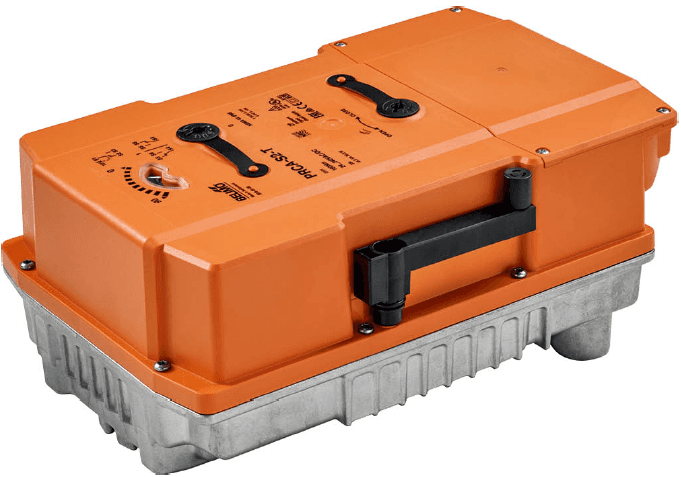
Belimo PM-PR Actuator Modbus RTU
Controls rotary actuators for butterfly valves and dampers via Modbus RTU.
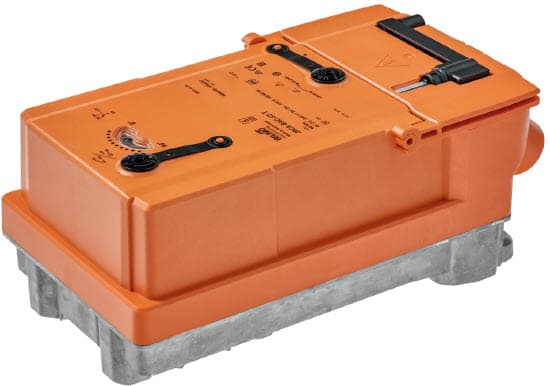
Template for Belimo PM-PR rotary actuators used on butterfly valves and dampers. Reads position feedback, sensor values, and malfunction status via Modbus RTU. Allows remote setpoint control, override mode, bus fail position, and maximum position configuration.
- Protocol
- Modbus RTU
- Connection
- RS485, 38400 baud
- Registers
- 20, read and write
- Brand
- Belimo
- Key readings
- Relative Position · Absolute Position · Sensor 1 Value · Sensor 2 Value · Setpoint Analog · Malfunction and Service Information
- Available commands
- Setpoint · Override Control · Bus Fail Position · Maximum Position
- Compatible models
- PR..-BAC-..
- Last updated
Registers (20)
11 read, 9 write
| Name | Unit | Access | Address (Hidden until you enter your email) | Function (hidden) | Type (hidden) |
|---|---|---|---|---|---|
| Actuator Type | Read | ||||
| Relative Position | % | Read | |||
| Absolute Position | °C | Read | |||
| Sensor 1 Value | Read | ||||
| Setpoint Analog | % | Read | |||
| Series Number 1st Part | Read | ||||
| Series Number 2nd Part | Read | ||||
| Series Number 4th Part | Read | ||||
| Firmware Version | Read | ||||
| Malfunction and Service Information | Read | ||||
| Sensor 2 Value | Read | ||||
| Setpoint | % | Write | |||
| Override Control | Write | ||||
| Sensor 1 Type | Write | ||||
| Setpoint Source | Write | ||||
| Sensor 2 Type | Write | ||||
| Command | Write | ||||
| Bus Fail Position | Write | ||||
| Timeout for Bus Watchdog in s | s | Write | |||
| Maximum Position in Percent | % | Write |
Loading registers…
Send your device list
If a device is not in the library yet, we build the template for free as soon as we have the register data.
Use cases
- Monitor actuator position and sensor values on a live cloud dashboard to verify correct damper or valve operation.
- Create an alert when a malfunction or service condition is reported by the actuator.
- Adjust the position setpoint remotely to fine-tune airflow or water flow without an on-site visit.
- Configure the bus fail position so the actuator moves to a safe state if communication is lost.
- Log absolute and relative position data over time to detect mechanical wear or calibration drift.
- Verify override control behavior during commissioning by writing to the override register from the cloud.
Installation
Wire the Modbus RTU bus (A, B, and GND) from the ModbusCloud Gateway to the RS-485 terminals on the Belimo PM-PR actuator.
Set the Modbus slave address on the actuator to a unique value that does not conflict with other devices on the bus.
Confirm the actuator baud rate is set to 38400, matching the ModbusCloud gateway port configuration.
Set register 118 (setpoint source) to bus mode so the actuator accepts setpoints from the Modbus connection.
Import the Belimo PM-PR Modbus RTU template in the ModbusCloud platform and assign it to the correct gateway and slave address.
Optionally configure the bus watchdog timeout in register 109 to define the safe fallback behavior on communication loss.
Things to watch for
The actuator does not respond on the Modbus bus. What should I check?
Verify that the RS-485 wiring (A, B, GND) is correct and that the baud rate on both the gateway and the actuator is set to 38400. Also confirm the slave address matches the address configured in ModbusCloud.
The actuator ignores setpoint commands sent from ModbusCloud.
Check that register 118 (setpoint source) is set to bus mode. If it is set to analog, the actuator will follow the local analog input instead of the Modbus setpoint.
The actuator moves to an unexpected position after a communication timeout.
The bus fail position is defined in the actuator configuration. Review the bus fail position register and adjust it to the desired safe state. The watchdog timeout in register 109 determines how long the actuator waits before activating the bus fail behavior.
Can I use this template for all Belimo PR actuators?
This template is designed for PR..-BAC-.. models that support Modbus RTU. Other PR variants without the BAC suffix may not support Modbus communication. Check the model label on the actuator before connecting.
Want to see how it works?
