








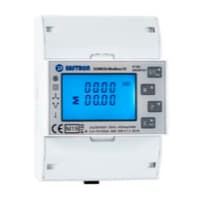
Eastron SDM630-MT (Multi-Tariff)
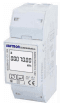
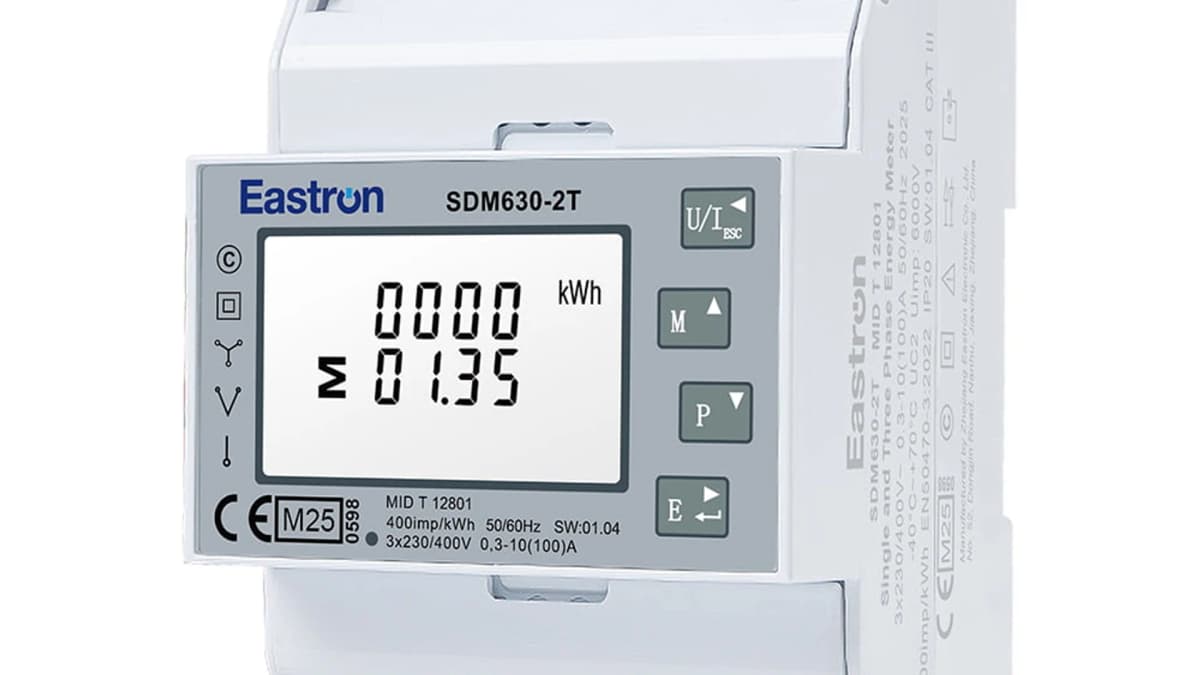
Three-phase Eastron SDM630-MT energy meter with per-tariff (T1/T2) energy counters.
This ModbusCloud template reads the full three-phase measurement set from the Eastron SDM630-MT multi-tariff energy meter over Modbus RTU at 9600 baud. All 41 registers are read-only float32 values: per-phase voltage and current, per-phase and total active, reactive, and apparent power, power factor, line-to-line voltages, neutral current, frequency, and bidirectional energy totals. The defining feature of the MT variant is multi-tariff metering - the meter keeps separate cumulative energy counters for tariff 1 and tariff 2 (both active and reactive), switching between them on its own internal clock.
- Protocol
- Modbus RTU
- Connection
- RS485, 9600 baud
- Registers
- 41, read only
- Brand
- Eastron
- Key readings
- Voltage L1-L3, line-to-line, and averages · Current L1-L3, neutral, average, and sum · Active / reactive / apparent power per phase and total · Power factor per phase and total · Frequency · Total import and export energy (active and reactive) · Tariff 1 & 2 active energy (kWh) · Tariff 1 & 2 reactive energy (kVArh)
- Compatible models
- SDM630-MT · SDM630MCT · SDM630 Modbus MT (multi-tariff)
- Last updated
Registers (41)
41 read, 0 write
| Name | Unit | Access | Address (Hidden until you enter your email) | Function (hidden) | Type (hidden) |
|---|---|---|---|---|---|
| Voltage L1 | V | Read | |||
| Voltage L2 | V | Read | |||
| Voltage L3 | V | Read | |||
| Current L1 | A | Read | |||
| Current L2 | A | Read | |||
| Current L3 | A | Read | |||
| Power L1 | W | Read | |||
| Power L2 | W | Read | |||
| Power L3 | W | Read | |||
| Volt Amps L1 | VA | Read | |||
| Volt Amps L2 | VA | Read | |||
| Volt Amps L3 | VA | Read | |||
| Reactive Power L1 | var | Read | |||
| Reactive Power L2 | var | Read | |||
| Reactive Power L3 | var | Read | |||
| Power Factor L1 | Read | ||||
| Power Factor L2 | Read | ||||
| Power Factor L3 | Read | ||||
| Average L/N Voltage | V | Read | |||
| Average Line Current | A | Read | |||
| Sum of Line Currents | A | Read | |||
| Total System Power | W | Read | |||
| Total System VA | VA | Read | |||
| Total System var | var | Read | |||
| Total System Power Factor | Read | ||||
| Frequency | Hz | Read | |||
| Total Import Energy | kWh | Read | |||
| Total Export Energy | kWh | Read | |||
| Total Import Reactive | kVArh | Read | |||
| Total Export Reactive | kVArh | Read | |||
| Line 1 to Line 2 Voltage | V | Read | |||
| Line 2 to Line 3 Voltage | V | Read | |||
| Line 3 to Line 1 Voltage | V | Read | |||
| Average Line to Line Voltage | V | Read | |||
| Neutral Current | A | Read | |||
| Total Energy | kWh | Read | |||
| Total Reactive Energy | kVArh | Read | |||
| Tariff 1 Active Energy | kWh | Read | |||
| Tariff 2 Active Energy | kWh | Read | |||
| Tariff 1 Reactive Energy | kVArh | Read | |||
| Tariff 2 Reactive Energy | kVArh | Read |
Loading registers…
Send your device list
If a device is not in the library yet, we build the template for free as soon as we have the register data.
Use cases
- Bill day and night tariffs separately by reading the SDM630-MT tariff 1 and tariff 2 energy counters, which the meter switches automatically on its internal clock.
- Track total building consumption, per-phase load, and solar export on a live ModbusCloud dashboard.
- Alert the installer when any phase current exceeds a safe threshold for more than a minute to catch overloads early.
- Log import and export energy separately for net-billing compliance reports.
- Reconcile measured peak/off-peak kWh against the utility invoice to spot tariff or metering discrepancies.
- Feed per-phase power into an automation rule that throttles an EV charger when building peak demand is approached.
Installation
Wire the SDM630-MT A and B terminals to the RS485 channel of your ModbusCloud gateway using twisted pair cable, keeping a common ground where possible.
Verify the meter settings in the front panel menu: address 1, baudrate 9600, 1 stop bit, no parity. Change only if you have multiple meters on the bus.
Set the meter clock and the tariff 1 / tariff 2 time windows in the front-panel menu so the MT switches tariffs on the correct schedule.
In ModbusCloud, add a new Modbus RTU device with the same address and baudrate, then import the Eastron SDM630-MT template.
Confirm voltage and current readings match the meter display. If numbers look swapped or scaled wrong, enable byte order swap in device settings.
Things to watch for
Why does this template only have tariff 1 and tariff 2, not tariff 3 and 4?
Tariff 1 and tariff 2 (active and reactive) are defined directly in the official Eastron multi-tariff protocol and can be read reliably. Tariff 3 and 4 registers appear in some firmware but are not guaranteed across SDM630-MT revisions, so they are intentionally left out to avoid reading meaningless values. If you have confirmed T3/T4 addresses for your exact firmware, they can be added later.
The tariff counters do not switch between T1 and T2. What is wrong?
Tariff switching is driven by the meter's internal real-time clock and tariff schedule, not by Modbus. Set the clock and the T1/T2 time windows in the SDM630-MT front-panel menu. ModbusCloud only reads the resulting counters.
I see wildly wrong numbers like 3.4e38. Byte order problem?
Yes. Float32 registers can be decoded ABCD, CDAB, BADC, or DCBA depending on the converter. This template uses ABCD (big-endian, high word first), the order defined in the official Eastron SDM630 Modbus protocol and the correct default for a direct RS485 connection on a ModbusCloud gateway. If you read the meter through an external Modbus TCP converter that swaps words, switch the byte order in ModbusCloud device settings.
Voltages read correctly but currents are zero. What is wrong?
This is almost always a missing CT connection on the meter. Check that the current transformers are clamped in the right orientation and wired to the correct meter terminals. The SDM630-MT shows live currents on its display, which is the fastest way to verify hardware before suspecting Modbus.

Want to see how it works?
